![side_logo.png]](/theme/site/shared/images/side_logo.png)
Working with no signal
Fill in forms with no signal, keep a finished form ready to send with Mark as submitted, and send it from the Form Archive when you are back in signal.
Try it free Start with Safety Evolution's Free version.
Job sites often have no signal. You can still fill in forms. The phone keeps your answers safe until you have signal again.
What works with no signal
- Starting a form. The phone uses the forms it already has. Pulling down on the Forms screen to get new forms needs signal.
- Answering questions, taking photos and adding signatures. Everything is kept on the phone.
- Opening your drafts.
What needs signal
- Hand In. If you have no signal, keep the form ready with Mark as submitted (below).
- Action items. Opening, fixing, commenting on or adding files to an action item on the Actions tab needs signal. Nothing is kept for later.
Hand in a form with no signal
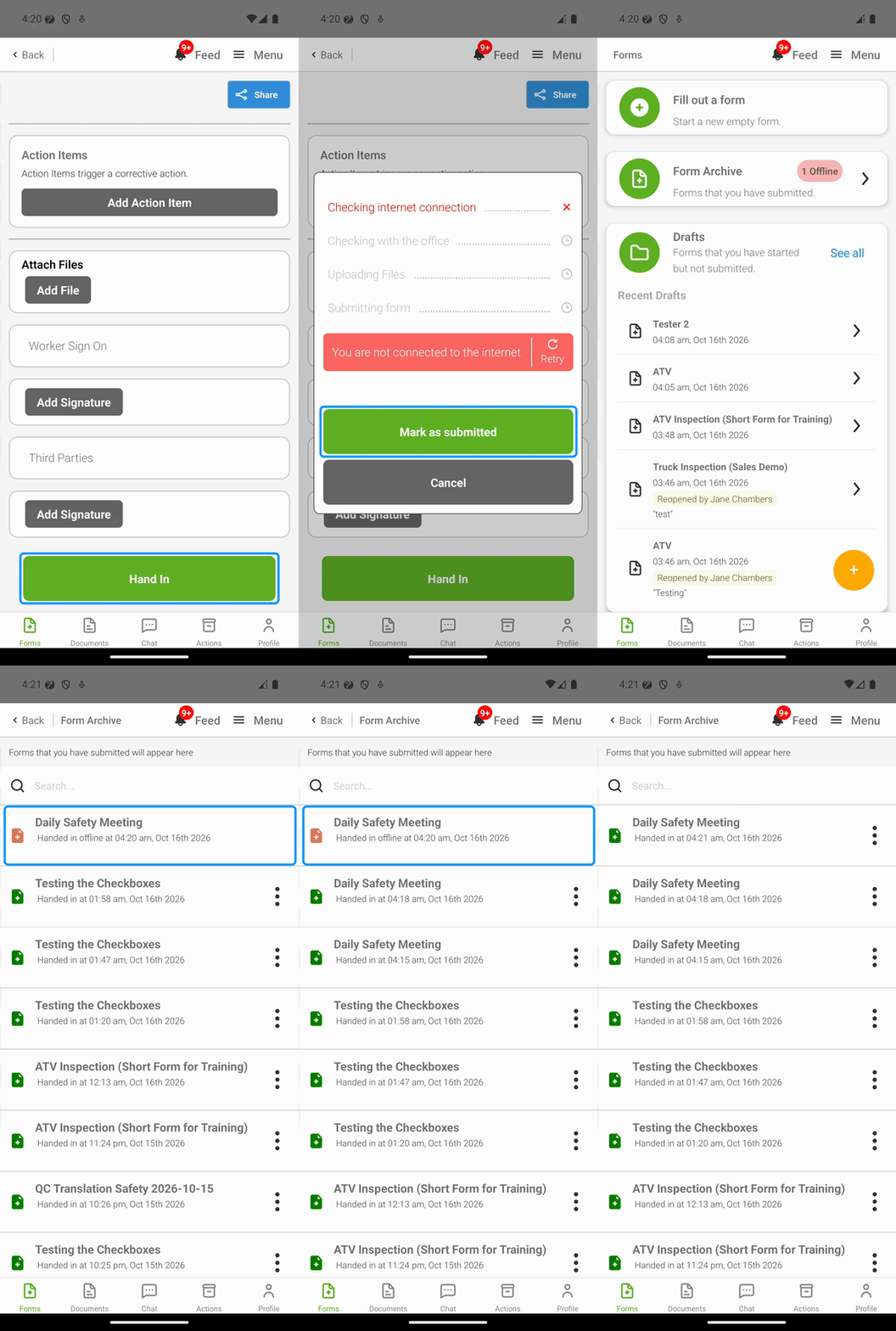
- Tap Hand In at the bottom of the form.
- The first step, Checking internet connection, fails. You see "You are not connected to the internet" or "Can't reach Safety Evolution right now".
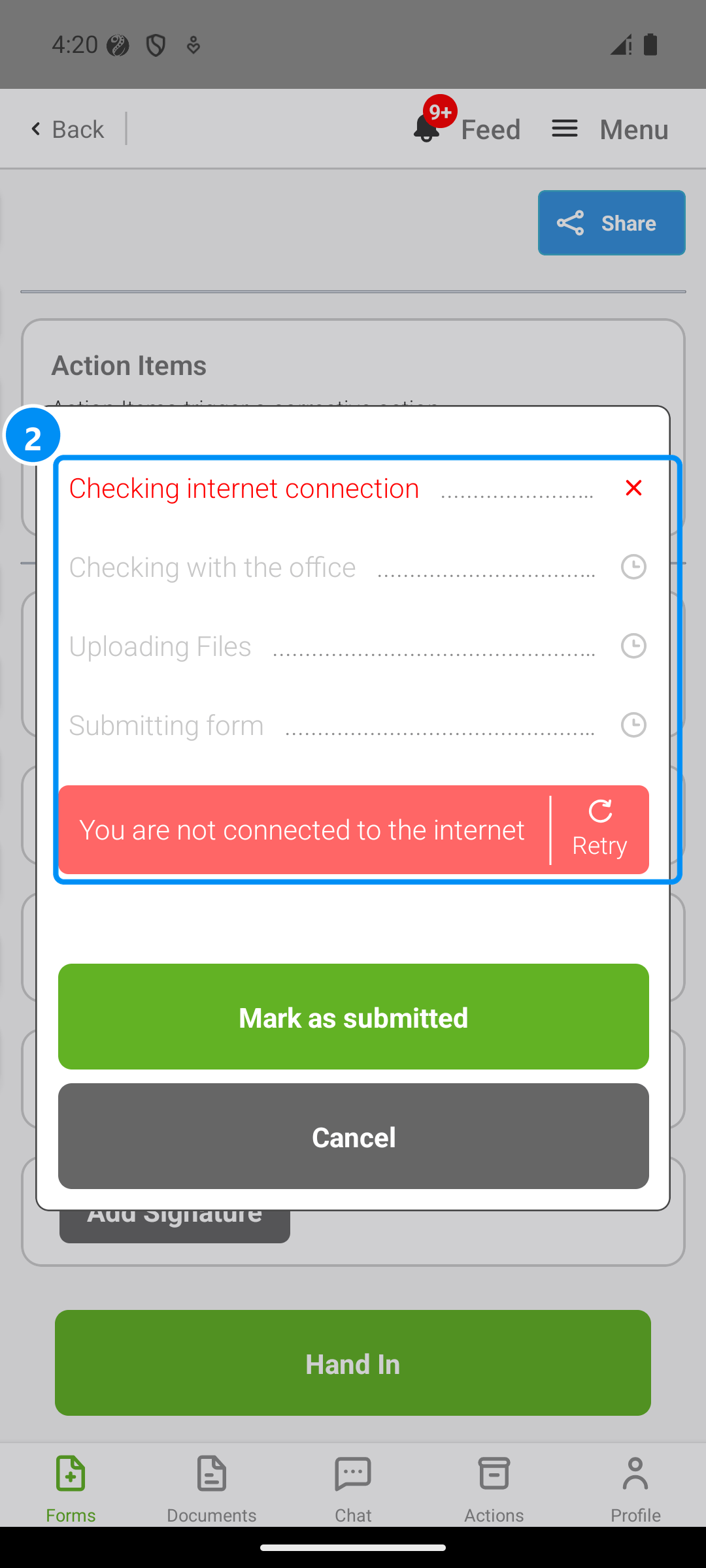
No signal: tap Mark as submitted. - Tap Mark as submitted. The form is kept on the phone, ready to send. You go back to the Forms screen.
- The Form Archive card now shows a count, for example 1 Offline.
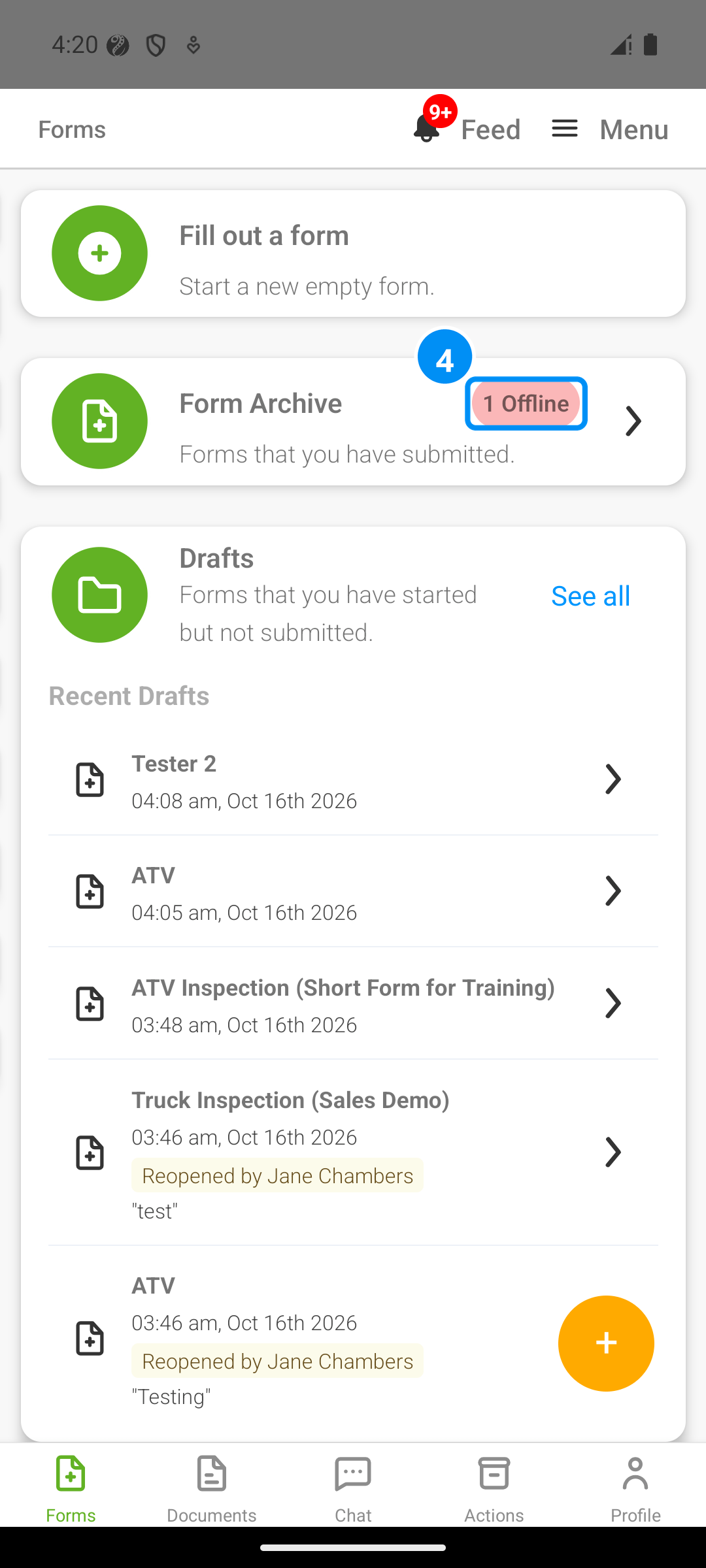
Forms waiting to be sent.
Send the waiting forms
Important: waiting forms are sent only when you open the Form Archive. They do not send by themselves.
- Get to a place with signal.
- On the Forms tab, tap Form Archive.
- The phone sends the waiting forms. Pull down on the list to send again.
- A waiting form shows Handed in offline at and the time, with an orange icon. When it has been sent it shows Handed in at with a green icon.
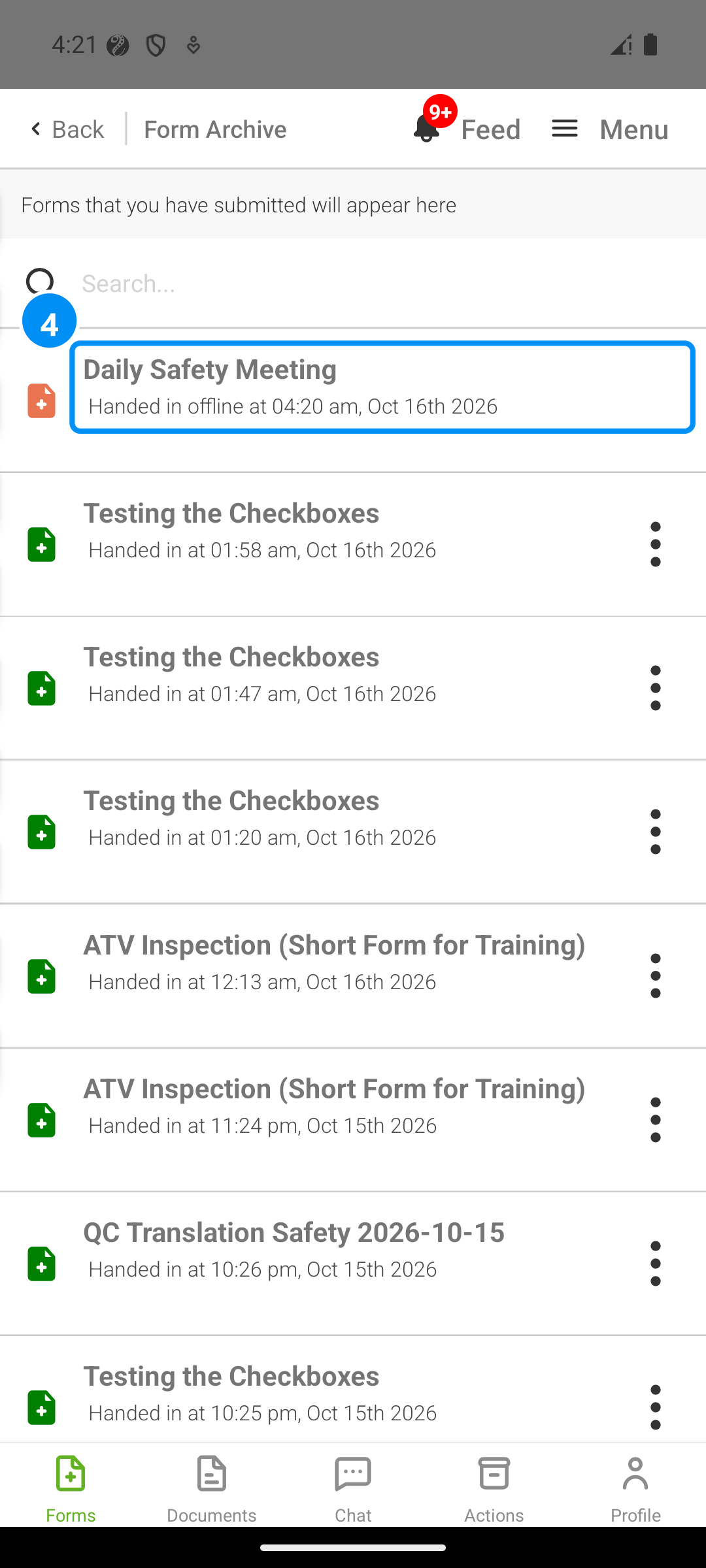
Orange: still on the phone. Green: with the office.
Messages you may see
- "This form was removed in the office": the office deleted or voided the form while it was waiting. The phone stops sending it. Your answers stay on the phone. Talk to your office.
- "The office changed this form. Open it to check your answers and hand it in again.": tap the form, check your answers and tap Hand In again.
- "No signal. Your answers are saved on this phone and go to the server with your next save or at Hand In.": you are filling in a form with no signal. Keep going. The line goes away when signal comes back.
- "No signal. Showing the copy on this phone, last updated from the server …": you opened a handed-in form with no signal. You are seeing the copy on your phone.
Good to know
- Pick the site first, even with no signal. Nothing goes to the office until a site is picked.
- When signal comes back, your answers go to the office with your next answer or at Hand In. They are not sent the moment signal returns.
Updated October 24, 2026