![side_logo.png]](/theme/site/shared/images/side_logo.png)
Translate a chat message or a bulletin
Read a chat message or a bulletin in your language on the phone or the web. The translation is for you only.
Try it free Start with Safety Evolution's Free version.
If your company translates, you can read a chat message or a bulletin in your language. Only you see the translation. Nothing is sent to the chat.
Before you start
- Your company translates (Professional or Enterprise). See "Forms in your crew's language".
- Pick your language first. See "Choose your language on the phone and the web". On the phone, Translate shows only when your language is not English.
- Translating needs signal.
Translate a message on the phone
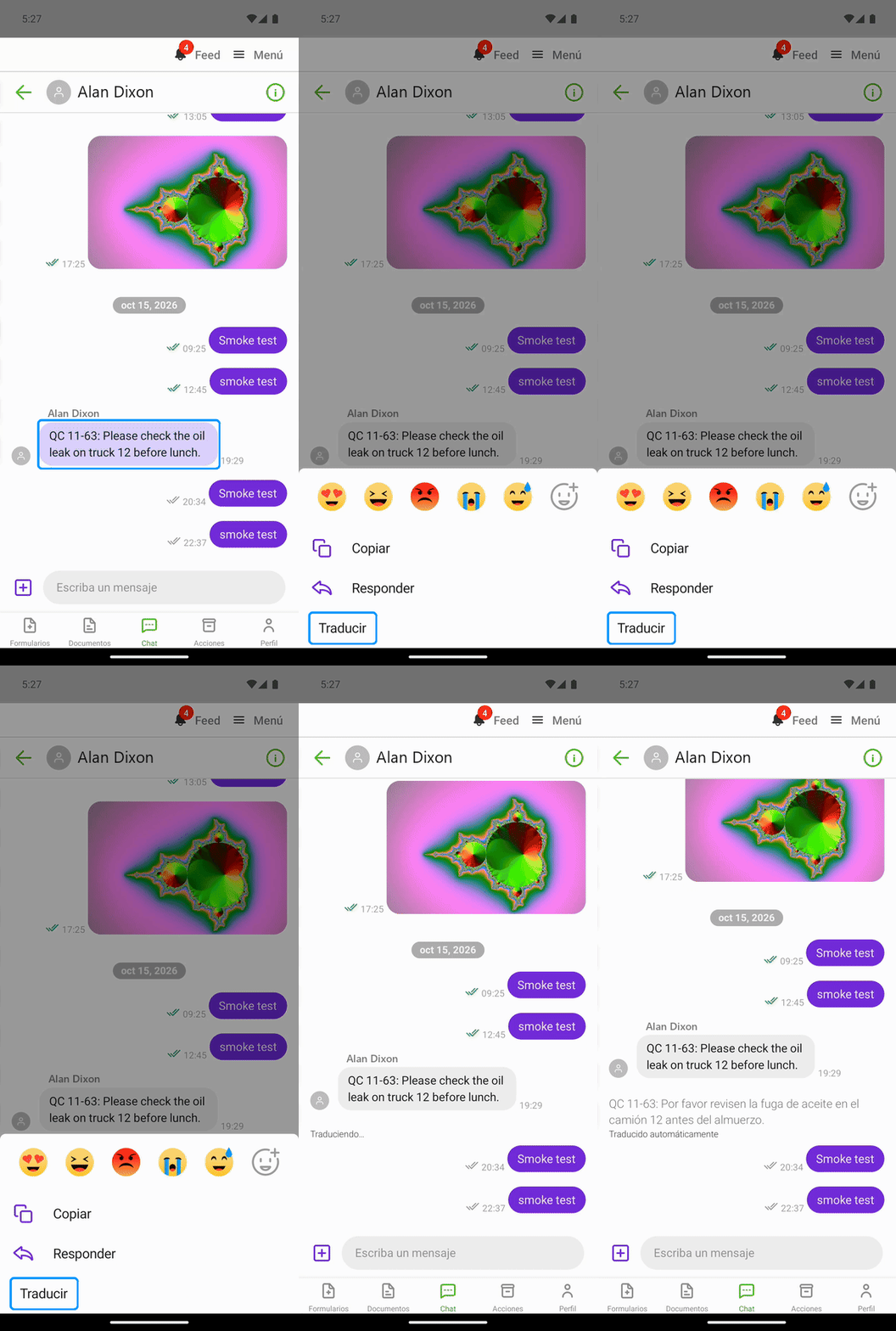
- Open the chat and press and hold a message someone else sent.
- Tap Translate (in Spanish, Traducir).
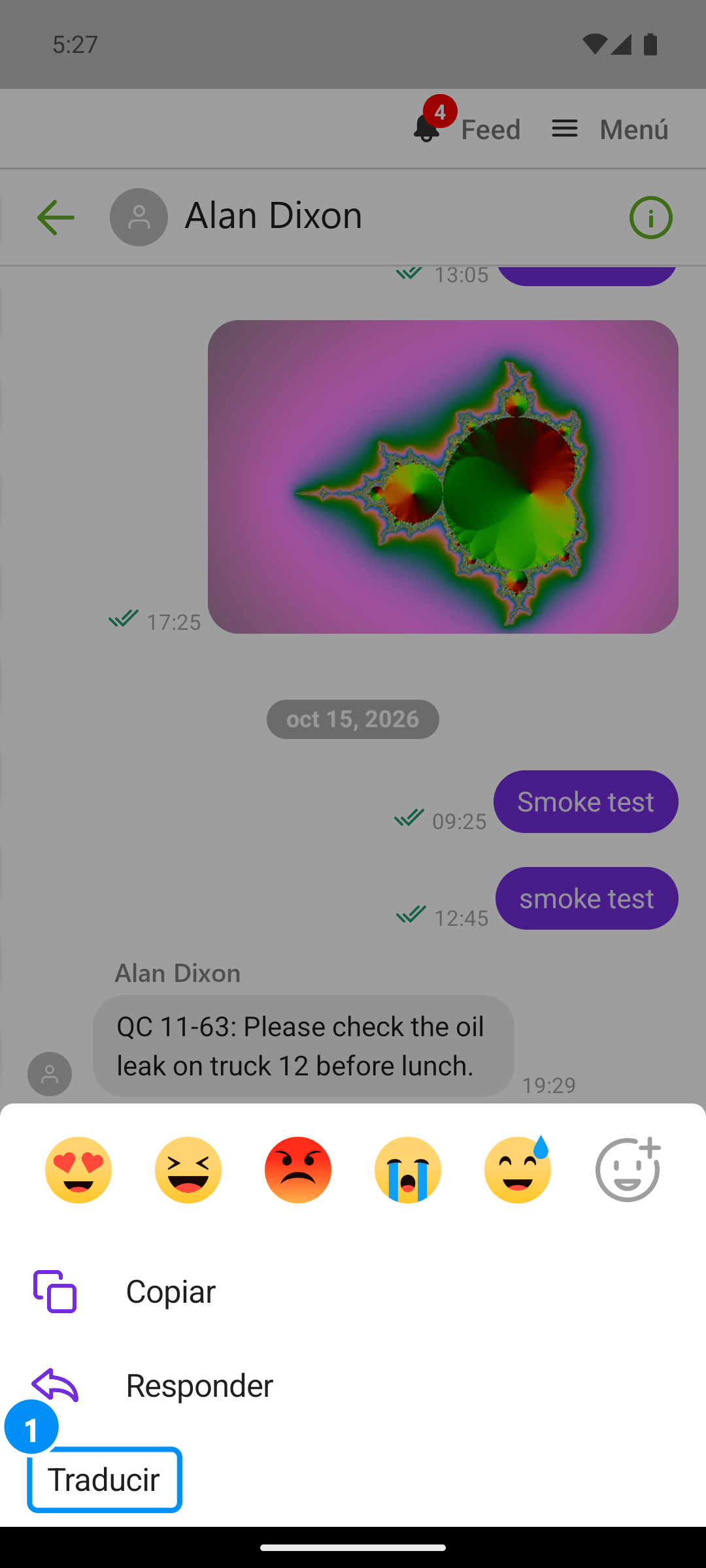
Press and hold a message, then tap Traducir. - The translation shows under the message, marked Traducido automáticamente.
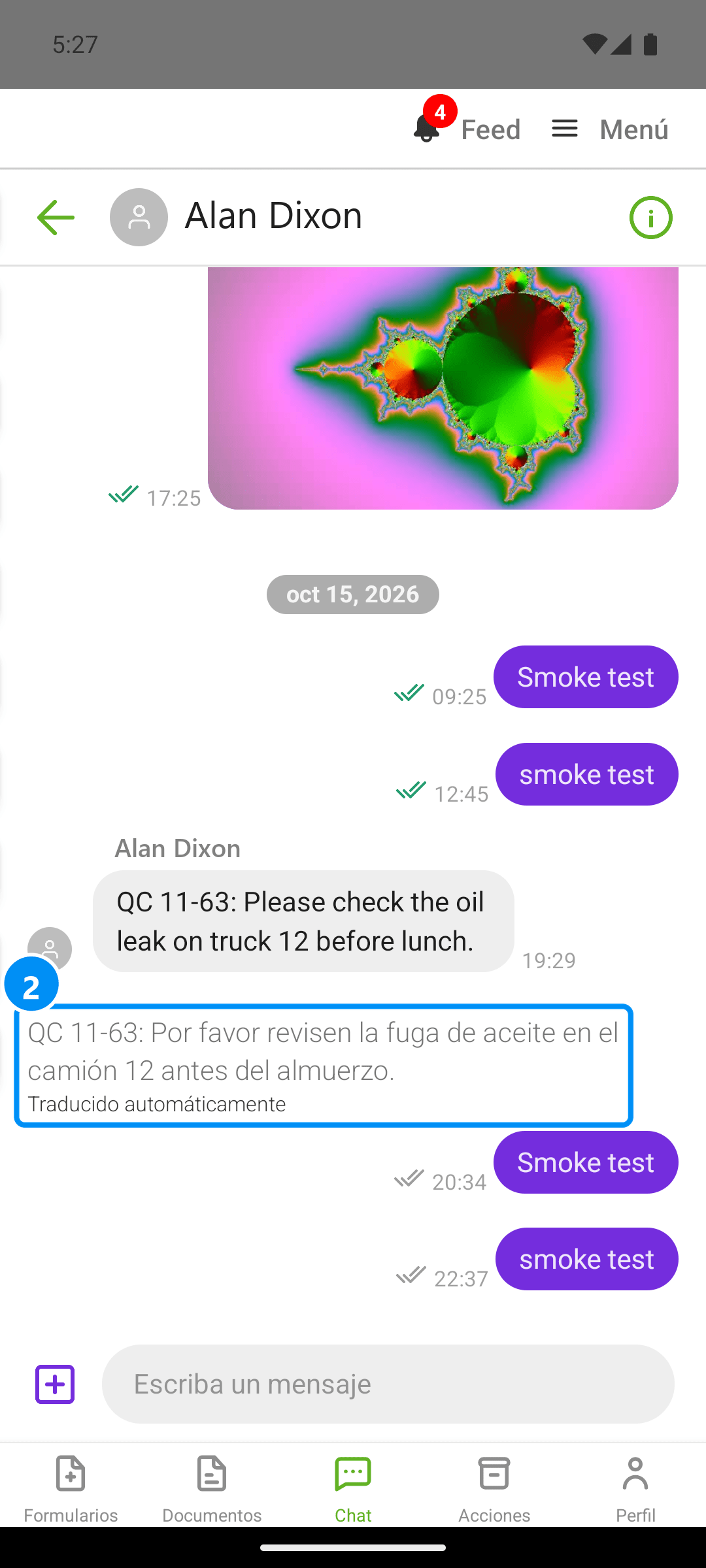
The translation is for you only.
You can translate messages from other people. Your own messages are already in your language.
Translate a bulletin on the phone
- Open the bulletin's chat. Under the bulletin there is a Translate button (Traducir).
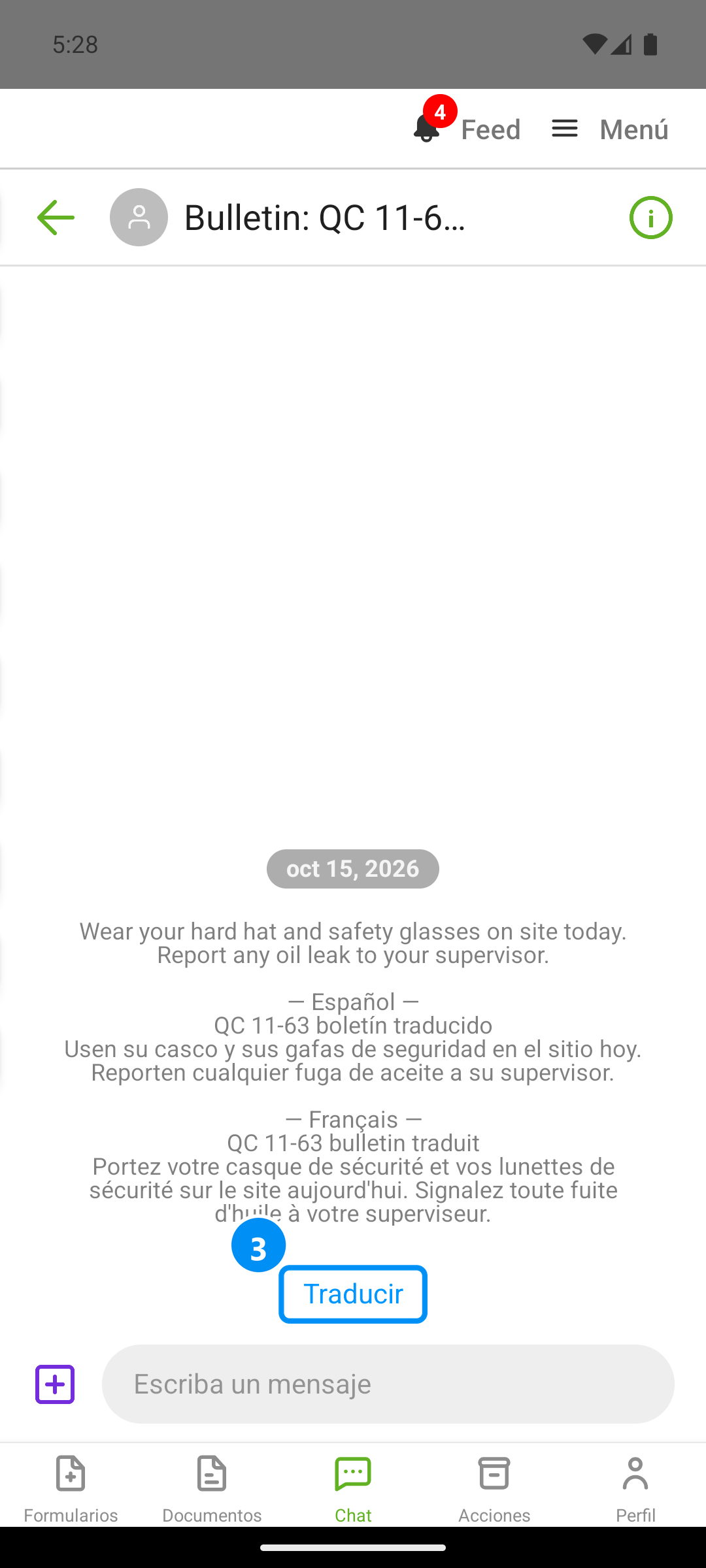
Bulletins have their own Translate button. - Tap it. The bulletin's title and message show in your language under the English.
A bulletin is translated once. The next person who taps Translate gets it straight away.
Translate on the web
- Click Chat in the menu on the left and open the chat.
- Point at a message someone else sent and open its menu (the ⋯ button beside the message).
- Click Translate. The translation shows under the message with Translated automatically · Show original. Click Show original to hide it.
- For a bulletin, click the Translate link under it.
Send a bulletin already translated (office)
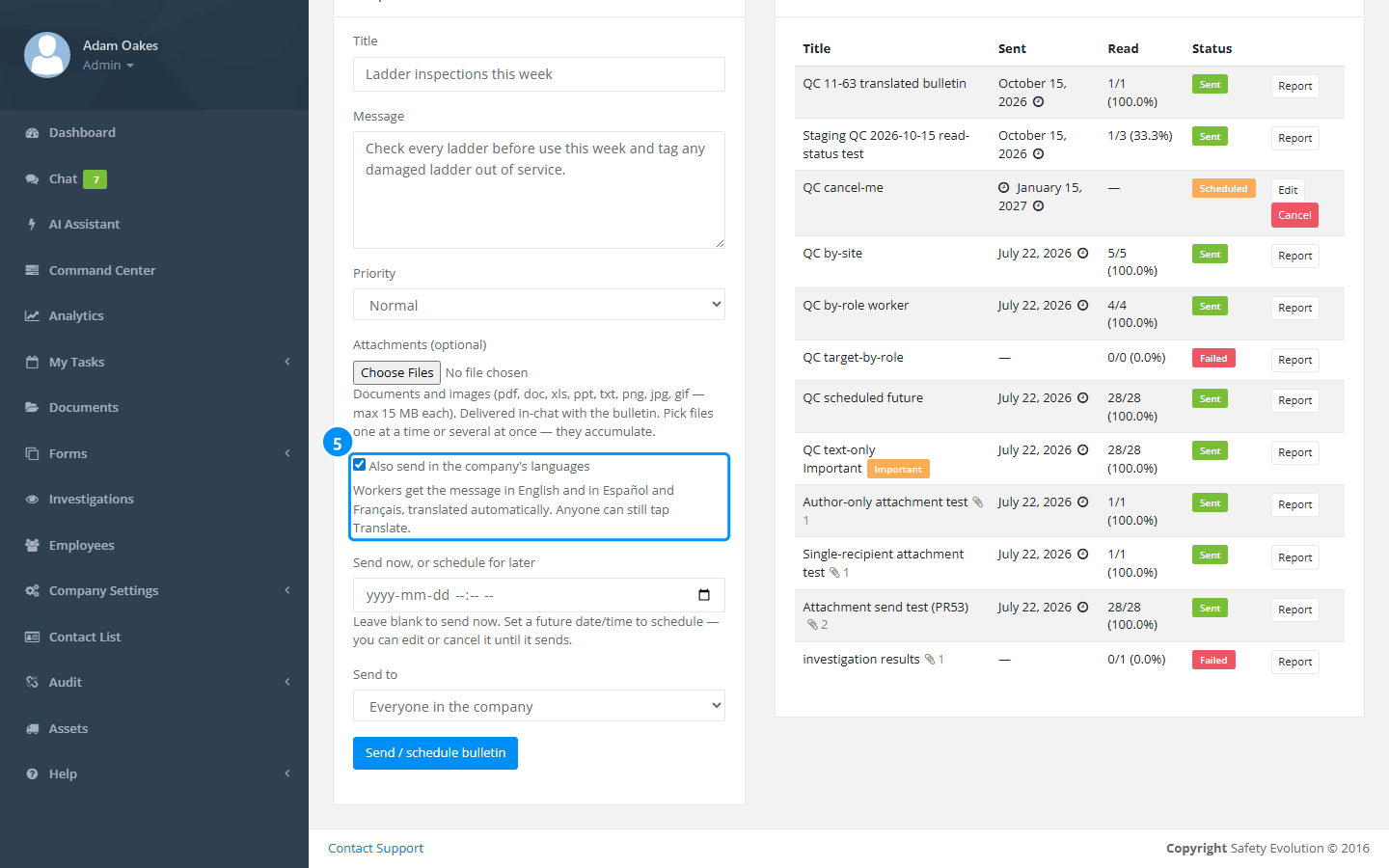
Owners, designates and admins can send a bulletin in English and in the company's languages at once. When you write it, tick Also send in the company's languages. See "Send a bulletin and see who read it".
If something goes wrong
- "Translate needs a connection" (in Spanish, "Traducir necesita conexión"): you have no signal. Try again when you do.
- "This message couldn't be translated. Try again later.": the phone could not get a translation. Try again in a while.
- "Translation is busy right now. Try again in a little while." or "Translation is not working right now. Try again later." (web): try again later.
- "That message has no text to translate.": the message is only a picture or a file.
- "Translation is not available for your company. An owner or admin can turn it on in Company Settings › Languages.": your company does not translate. Ask your office.
- No Translate on the phone: your language is set to English, or it is your own message. Change your language on the Profile tab.
Updated October 24, 2026