![side_logo.png]](/theme/site/shared/images/side_logo.png)
Choose your language on the phone and the web
Pick English, Spanish or French for the phone app and your forms, and see how the web remembers the language you read forms in.
Try it free Start with Safety Evolution's Free version.
You can use the phone app in English, Spanish or French. The same choice decides the language your forms and toolbox talks open in. On the web, you choose your language under Idioma · Language in your profile, or with the 🌐 button on a form. It is used for the web, your emails, and every form and talk.
Before you start
- The phone app's own words (menus, buttons, messages) come in Spanish and French on every plan.
- Your company's forms show in your language only when your office has turned on translation. See "Read and fill in a form in your language".
- You need the newest Safety Evolution app from the App Store or Google Play.
Change your language on the phone
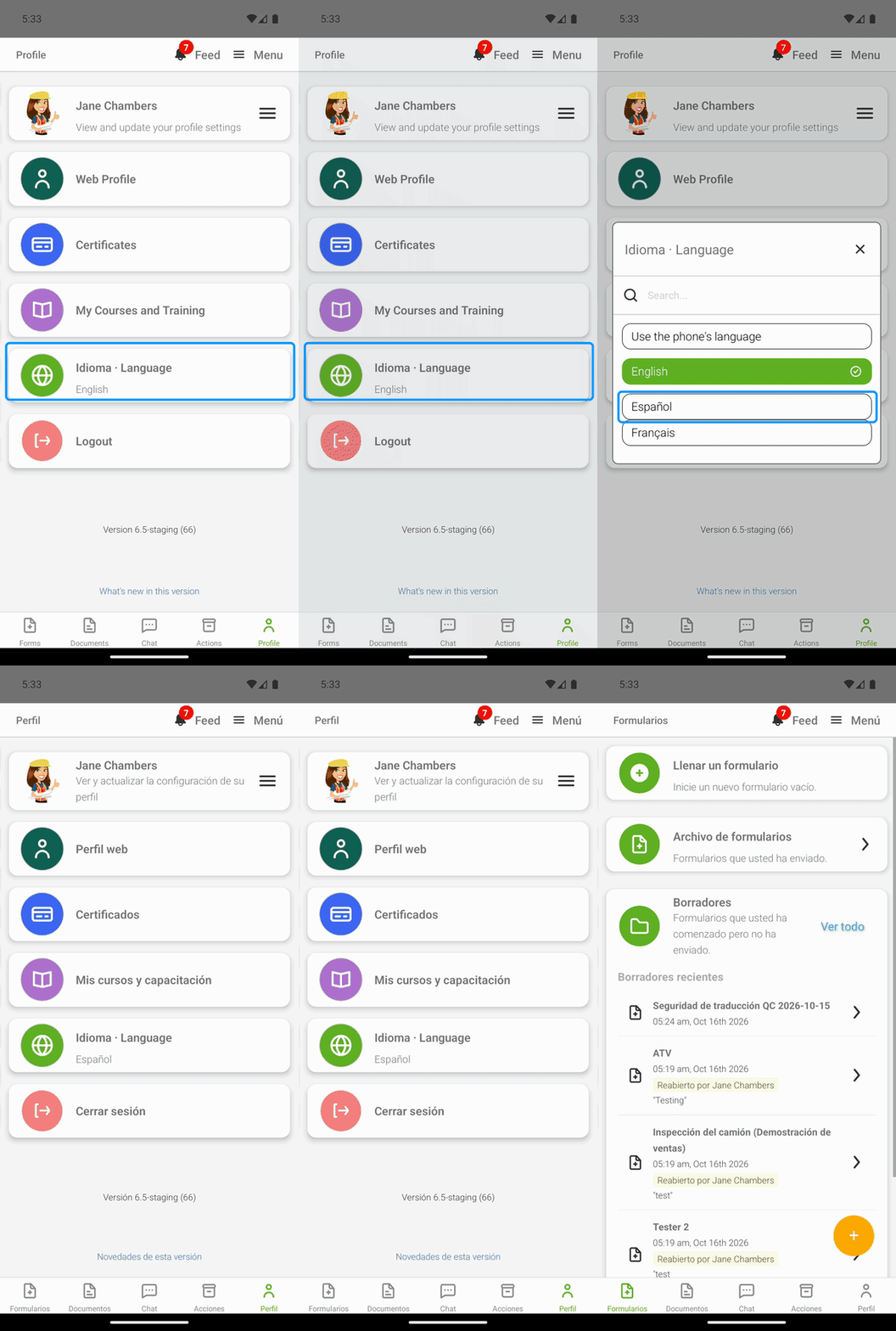
- Tap the Profile tab at the bottom of the screen.
- Tap Idioma · Language, the row with the globe. Under it you see the language the app uses now.
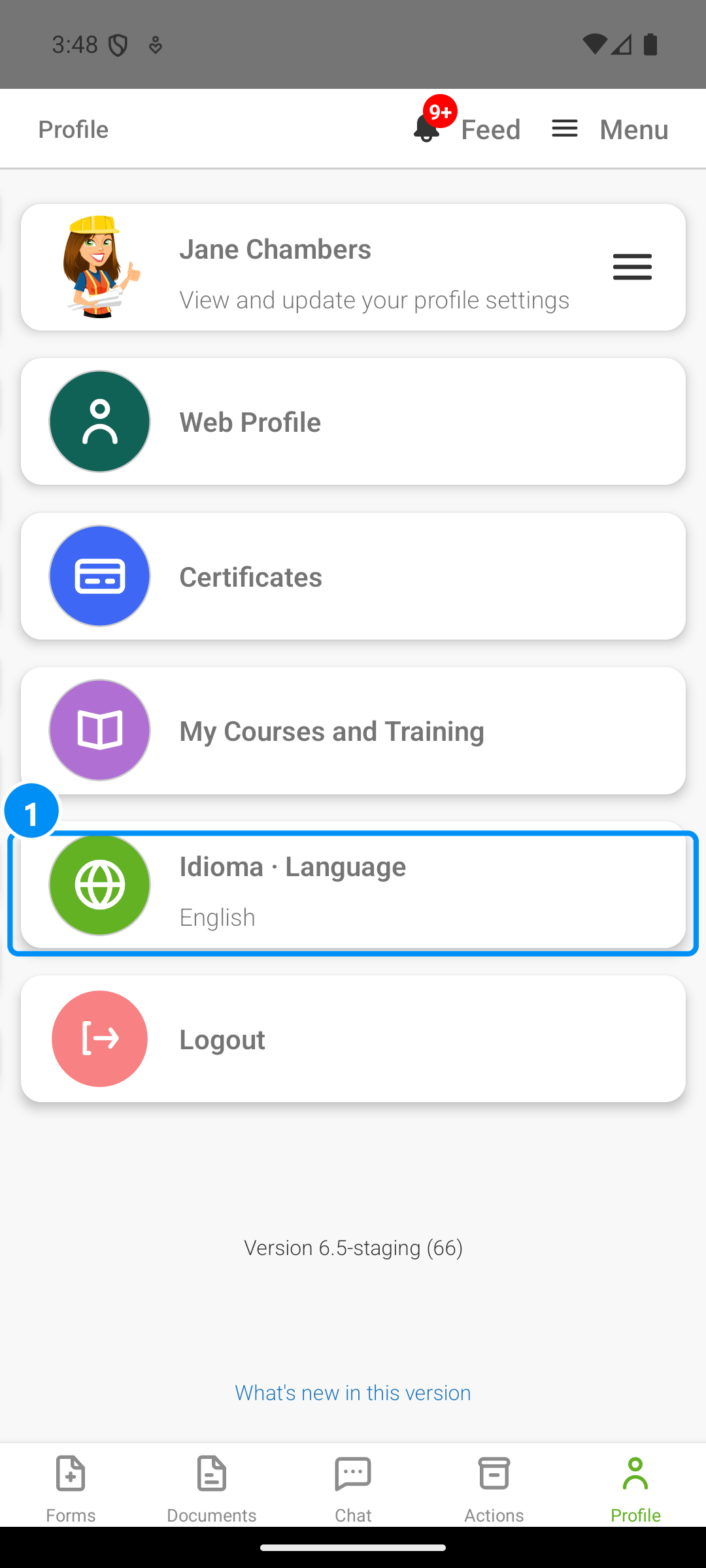
The Idioma · Language row on the Profile tab. - Pick a language from the list:
- Use the phone's language: the app follows your phone's own language setting.
- English, Español or Français: the app always uses this language.
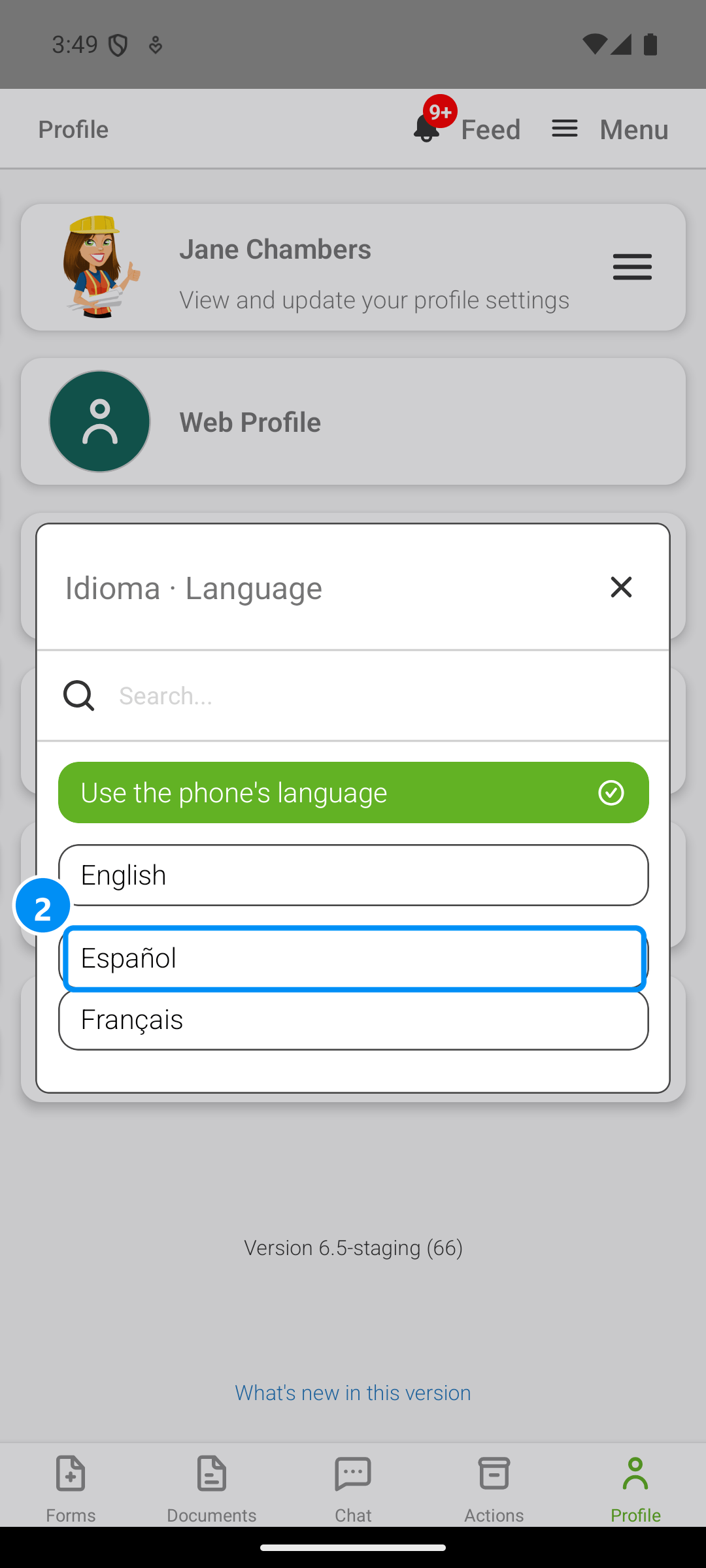
Each language is shown in its own name. - The app changes at once. The tabs, buttons and messages are now in that language. In Spanish the tabs read Formularios, Documentos, Chat, Acciones and Perfil.
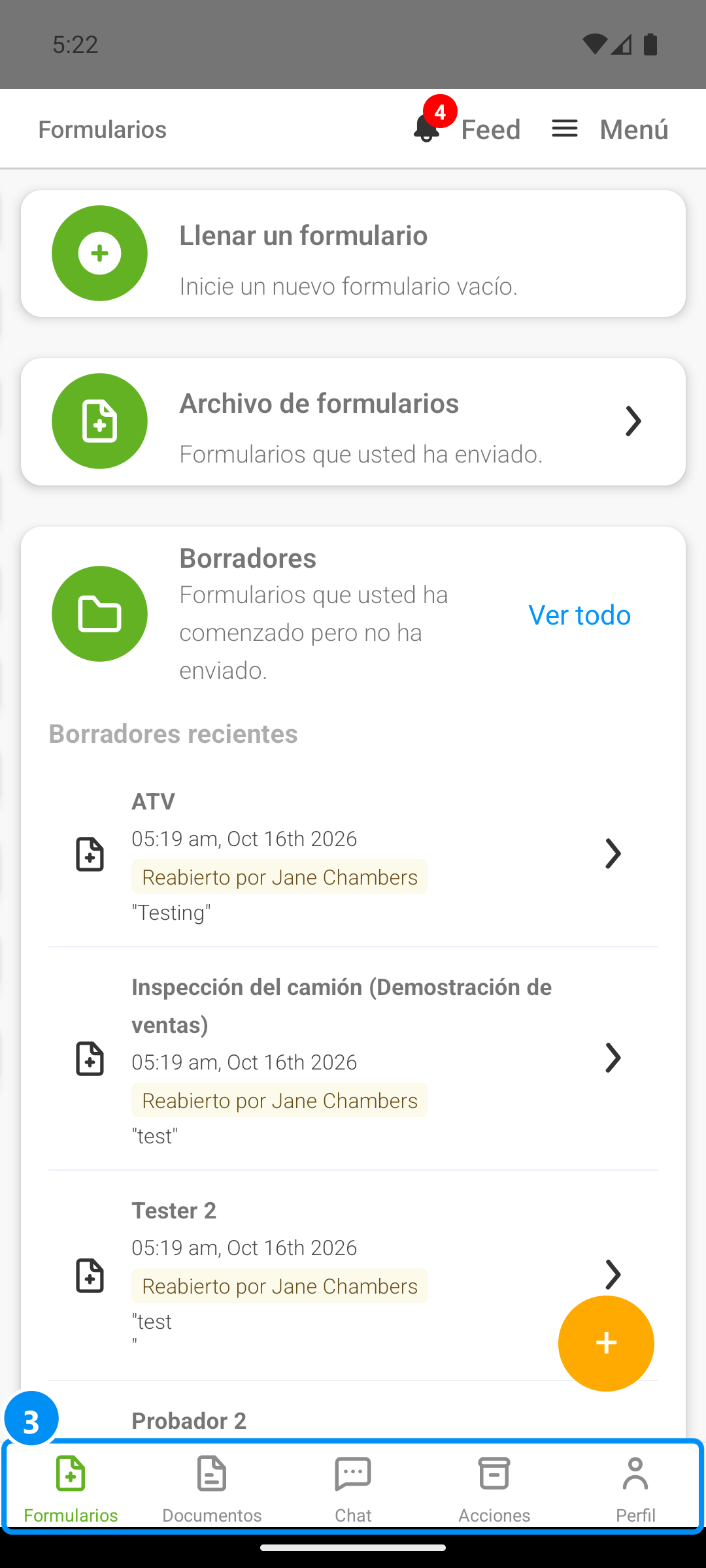
The app in Spanish. Translated forms show their Spanish names.
Your forms and toolbox talks now open in the same language, when they have it. Form names show in your language in the form lists. Dates outside chat stay in English.
Go back to English
- Tap the Perfil (Spanish) or Profil (French) tab.
- Tap Idioma · Language. The row reads the same in every language, so anyone can find it.
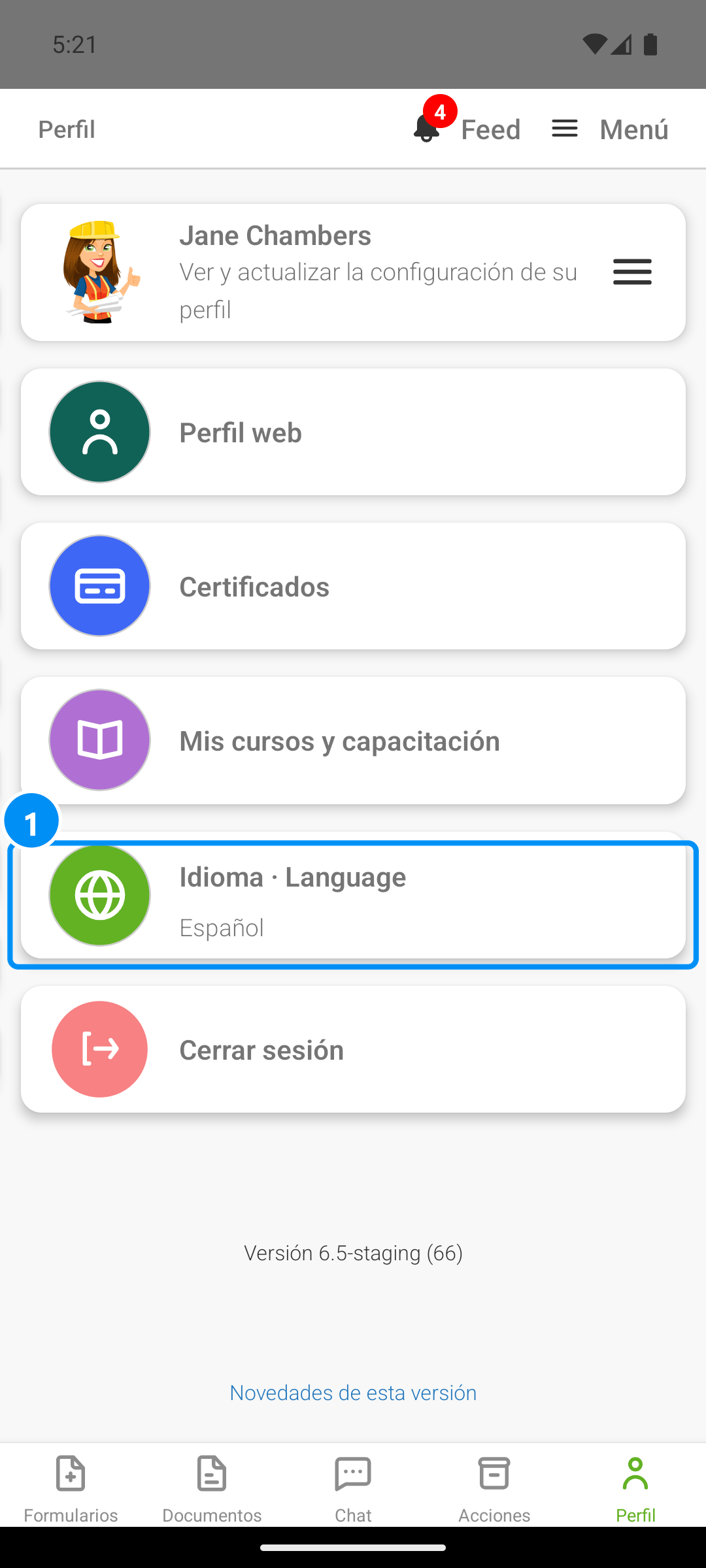
The row says "Idioma · Language" in every language. - Tap English.
How the phone picks your language
The phone uses the first of these that applies:
- The language you picked on this phone.
- If you picked Use the phone's language: your phone's language.
- If you never picked: the language saved to your account on the web, else your phone's language.
- If that language is not one Safety Evolution offers: English.
Your pick is kept for you on this phone, even after you log out. Someone else who logs in on the same phone keeps their own choice. Picking a language on the phone does not change the web.
Tip: picking a language with the 🌐 button on a form does the same thing as the Profile row. The whole app follows it.
Change your language on the web
- Click your name at the top left, then Profile.
- Click Update Profile. The General tab opens.
- Under Idioma · Language, pick a language:
- Automatic (browser): the web follows your browser's language.
- English, Español or Français.
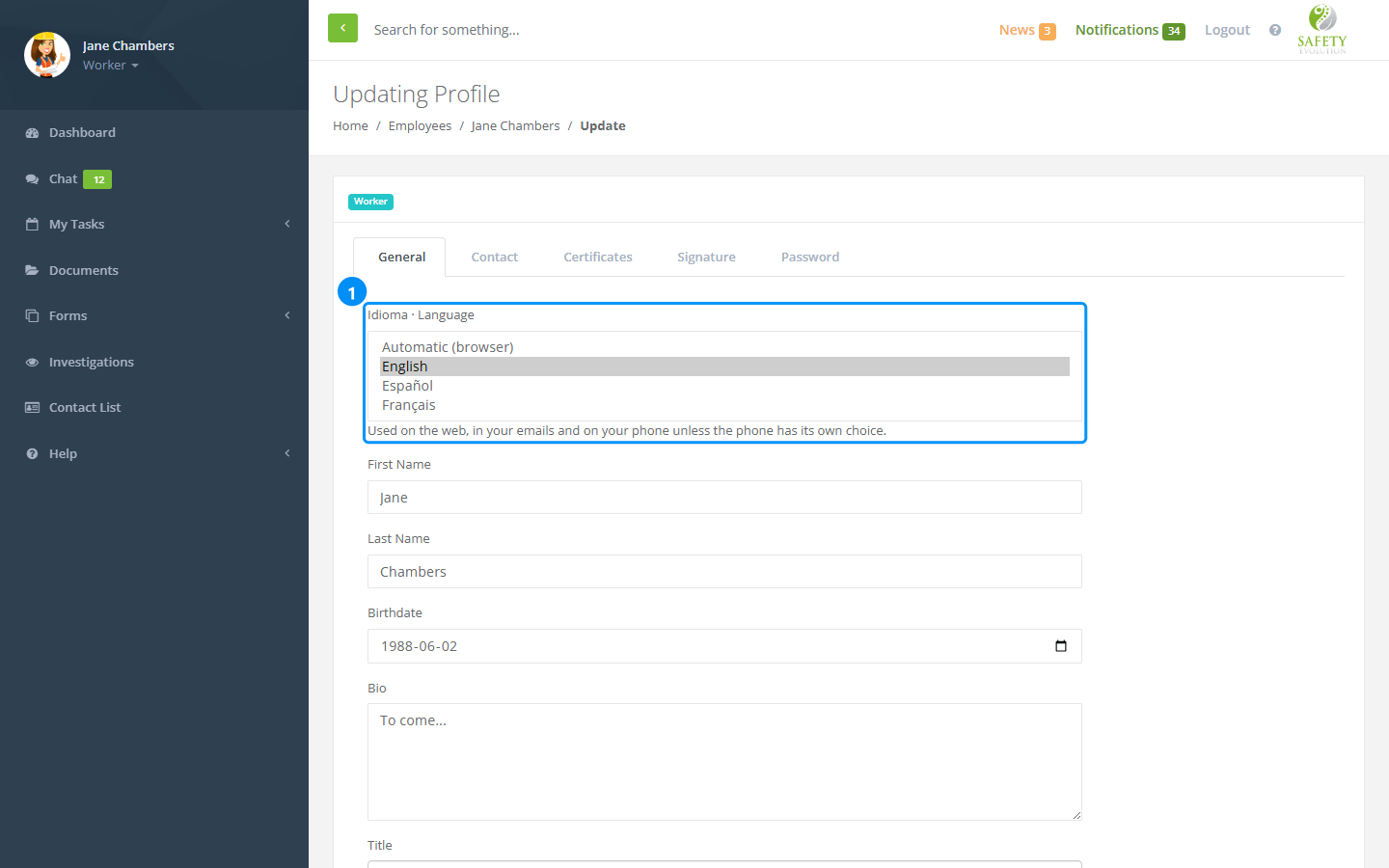
Your language for the web, your emails and every form and talk. - Click Save Profile. The web's menus, buttons and messages switch to that language.
This language is used on the web and in the emails Safety Evolution sends you. Your phone uses it too, unless you picked a language on that phone.
Change it from a form on the web
Forms your office has translated show a 🌐 language button at the top. It changes the same setting as Idioma · Language in your profile, not just the language of that one form.
- Open a form, then click the 🌐 button at the top of the form.
- Pick your language. The form shows in it, and the page's own buttons and labels switch at once. In Spanish, for example, Save Draft becomes Guardar borrador and Hand In becomes Entregar.
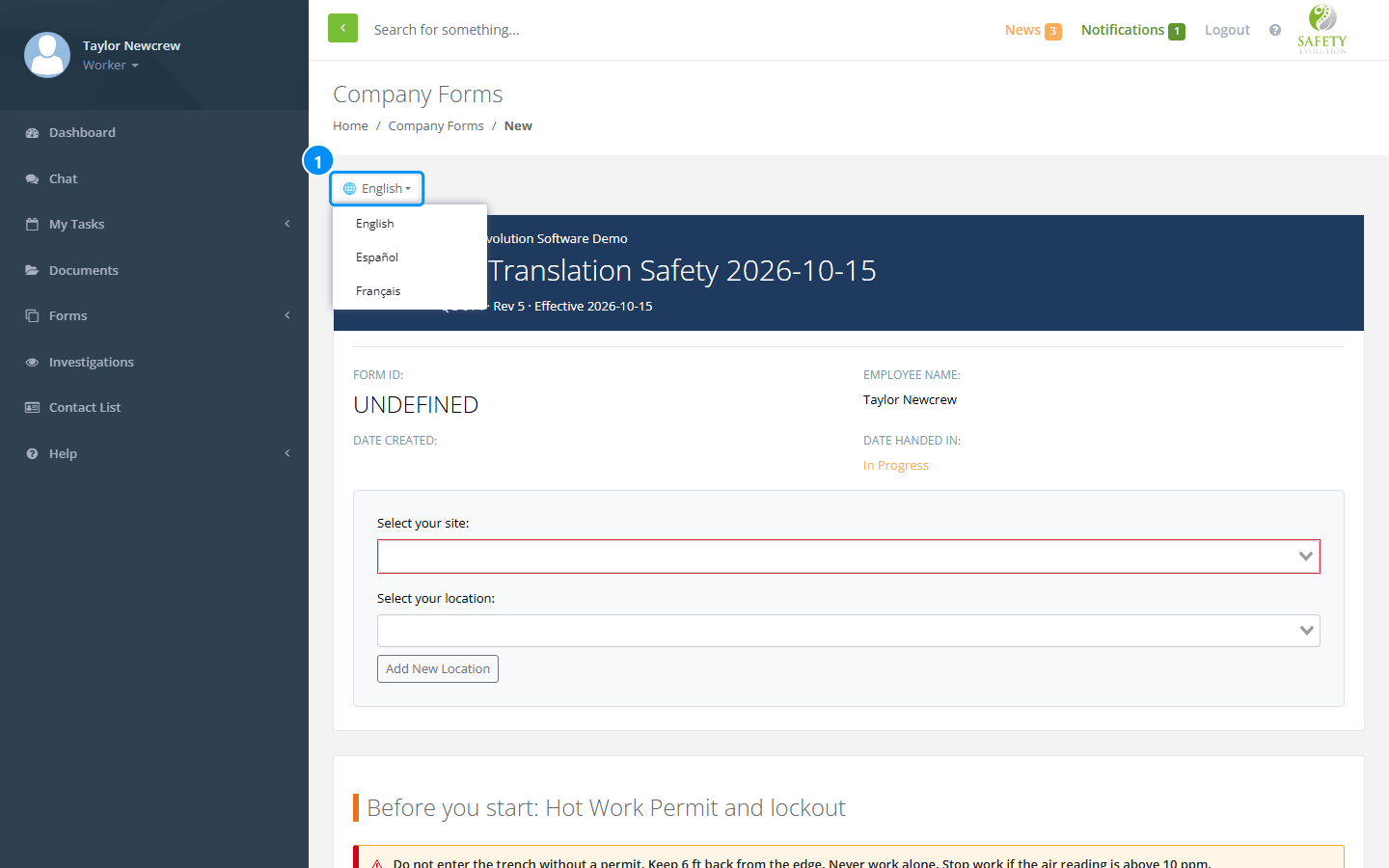
Your pick becomes your language for every form and talk.
Your pick is saved as your Idioma · Language, so every form and toolbox talk on the web opens in it from then on. It is also what a phone uses if you have never picked a language on that phone. If you never pick, the web uses your browser's language, else English.
If something goes wrong
- I don't see Idioma · Language on the Profile tab: update the Safety Evolution app from the App Store or Google Play.
- The app is in Spanish or French but my form is in English: your office has not translated that form, or the translation has not reached your phone yet. See "Read and fill in a form in your language".
- I picked Use the phone's language and the app is in English: your phone is set to a language Safety Evolution does not offer yet. Pick Español or Français instead.
- A word in the app's Spanish or French looks wrong: tell Safety Evolution with Report a bug from the menu. See "Report a bug and follow it in My reports".
- I don't see the 🌐 button on the web: the form has no translation, or your company does not translate forms.
- "Forms, talks and documents in your language are part of Professional. Your company's owner or admin can upgrade to Professional." (under Idioma · Language): your company is on the Free plan. The app's own words still change language; your company's forms stay in English. Owners, designates and admins see Upgrade to Professional there.
Updated October 24, 2026