![side_logo.png]](/theme/site/shared/images/side_logo.png)
Read workers' answers in English
Read what a worker typed in Spanish or French with the English beside it, see the form as they saw it, and print both.
Try it free Start with Safety Evolution's Free version.
When a worker types an answer in Spanish or French, Safety Evolution keeps their words exactly as written and adds an English version beside them for the office. You can also see the whole form the way the worker saw it.
Before you start
- You need to be an owner, designate, admin or supervisor who can open handed-in forms.
- Your company translates its forms (Professional or Enterprise). See "Translate your forms for workers".
- Workers' typed answers in English is on under Company Settings › Languages. It is on to start.
Read a typed answer in English
- Open the handed-in form, for example from Company Forms.
- Find an answer the worker typed in another language. Under it you see the language it was written in, for example Español (original), then English · translated automatically and the English.
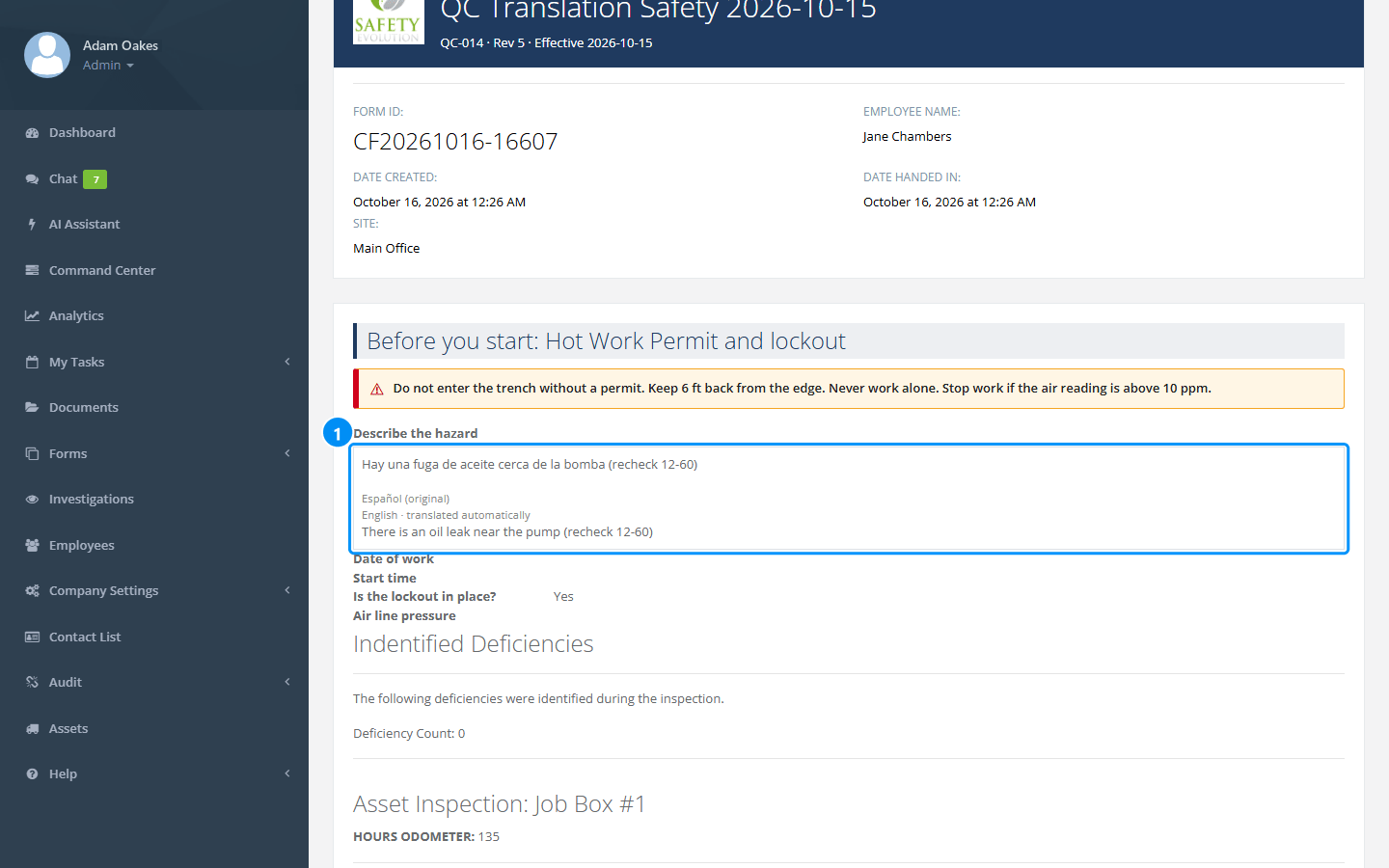
The worker's own words stay. The English is added for you.
This covers everything a worker types: text answers, comments on checklist, audit and signature items, Safe/At Risk descriptions, action item titles and descriptions, and task risk assessment steps, hazards and controls. Answers already in English get nothing added.
Choices need no translation. A worker who picked Sí saved Yes, so the form already shows the English choice.
The English appears a short time after the form is handed in. If you open the form straight away and see only the worker's words, reload the page in a minute.
See the form as the worker saw it
- At the top of the handed-in form, click Show the form as and the worker's name, for example Show the form as Luis saw it.
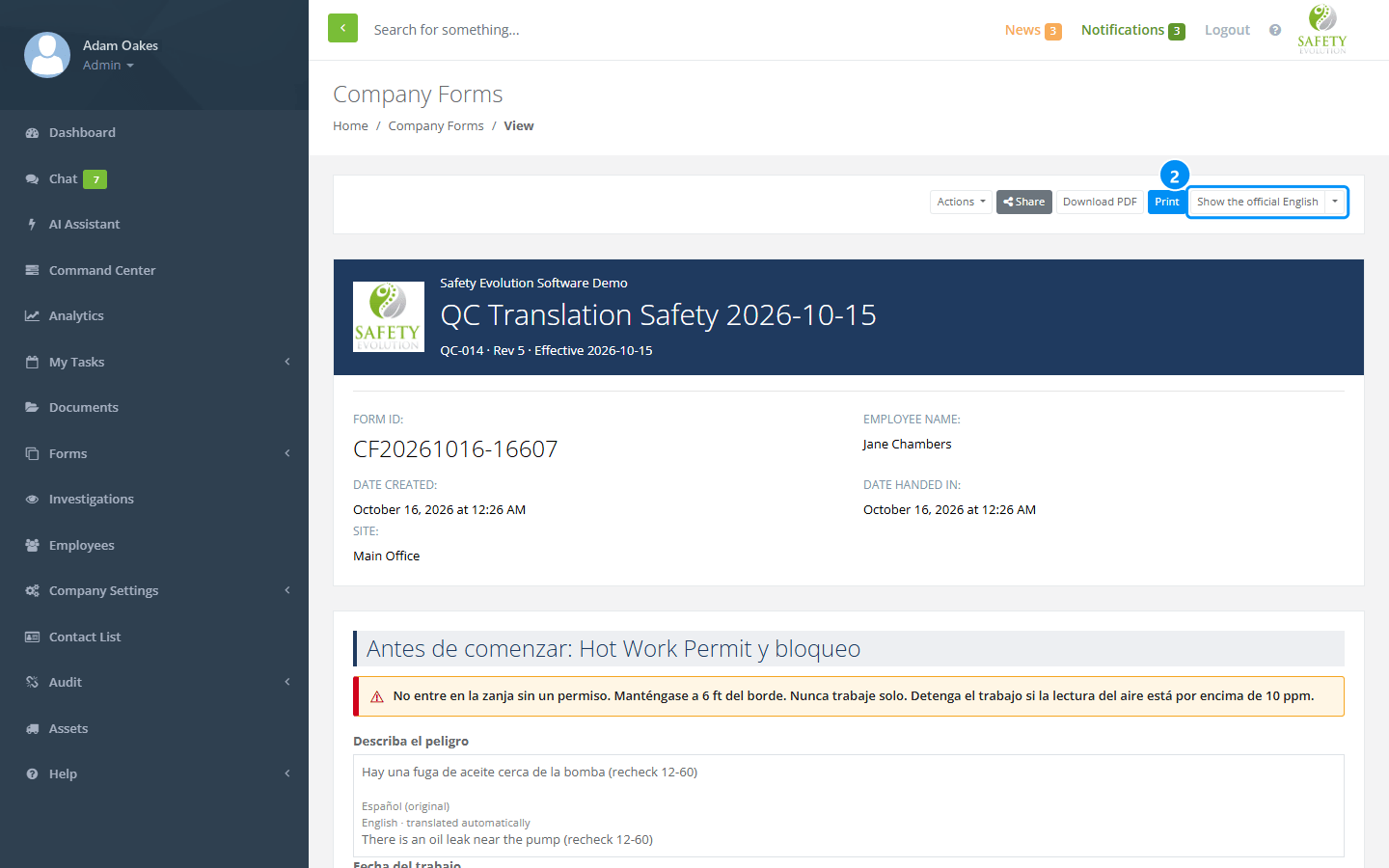
The questions and choices in the worker's language. The answers are as saved. - The questions and choices show in the language the worker read the form in. If Safety Evolution is not sure which language that was, the button says so, for example (probably Español).
- To pick another language, open the small menu beside the button and pick it. To go back, click Show the official English, or pick English (official) in the menu.
Print or save it
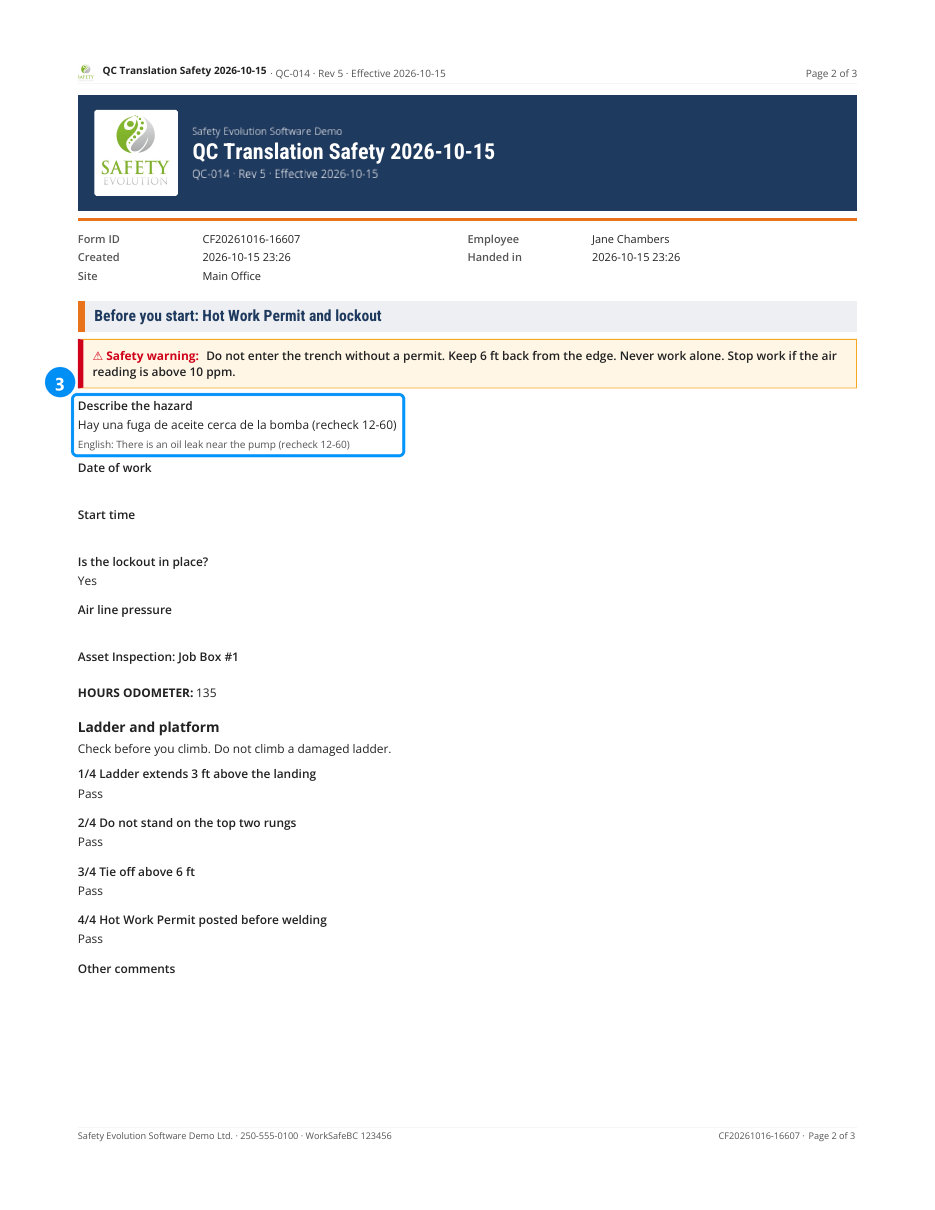
Click Print (or Download PDF, where your company has it). The worker's words and the English beside them are both printed.
Turn it off
- Click Company Settings, then Languages.
- Under Workers' typed answers in English, set the switch to Off, then click Save.
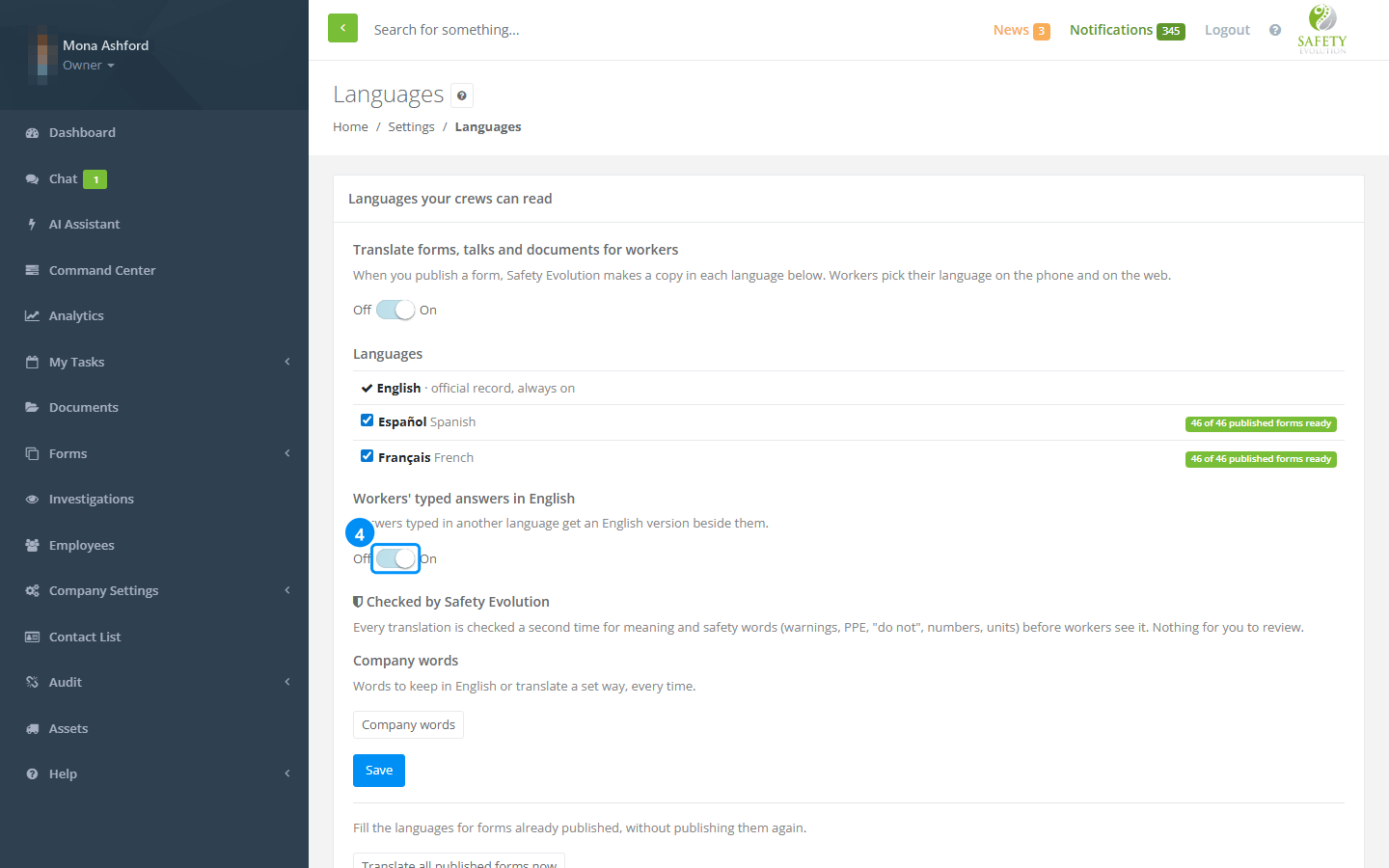
On to start.
Forms handed in after that get no English. Answers already done keep theirs.
What never changes
- The worker's words are never changed. The English sits beside them.
- The English is a reading aid. The handed-in form is the record.
If something goes wrong
- "Could not translate automatically": Safety Evolution's check could not confirm an English version of this answer, so none is shown. Read the worker's words, or ask the worker.
- No English under a Spanish or French answer: it can take a moment after hand-in, so reload the page. If it is still missing, check that Workers' typed answers in English is on. Forms handed in while it was off have no English.
- No "Show the form as … saw it" button: the form has no translation into another language, so the worker saw it in English.
Updated October 24, 2026