![side_logo.png]](/theme/site/shared/images/side_logo.png)
Contact List
Find a co-worker's phone number and email on the Contact List, and choose whether workers can see it.
Try it free Start with Safety Evolution's Free version.
The Contact List shows a card for each person in your company, with their phone numbers and email. Tap a number or an email to call or write to them.
Who can see it
- Supervisors, owners, designates, admins and auditors always see the Contact List.
- Workers see it only when the company allows it (see below).
- New employees see it after they finish orientation.
Find someone
- In the left menu, click Contact List.
- Narrow the list: pick a Role or an Area, type a Name, or click a letter under Alphabetical.
- Find the person's card. It shows P: (primary phone), C: (cell) and their email.
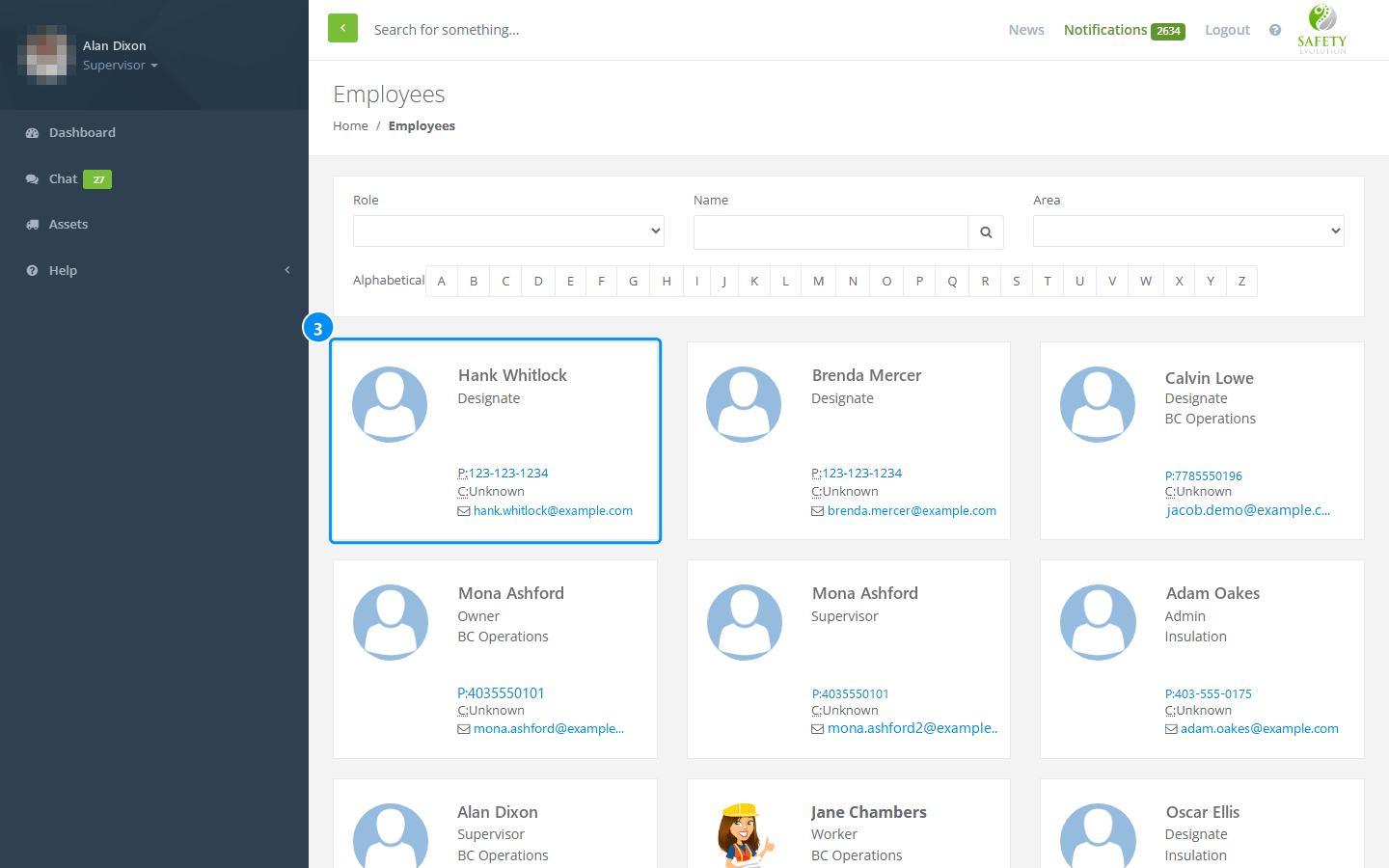
Each card shows the person's phone numbers and email. - Click a number to call, or the email to write.
Unknown means the person has not added that number. They can add it in their profile.
Let workers see the Contact List
Only owners, designates and admins can change this.
- In the left menu, click Company Settings, then General.
- Under Workers have permission to see other worker's information, click Yes or No.
- Click Save Settings.
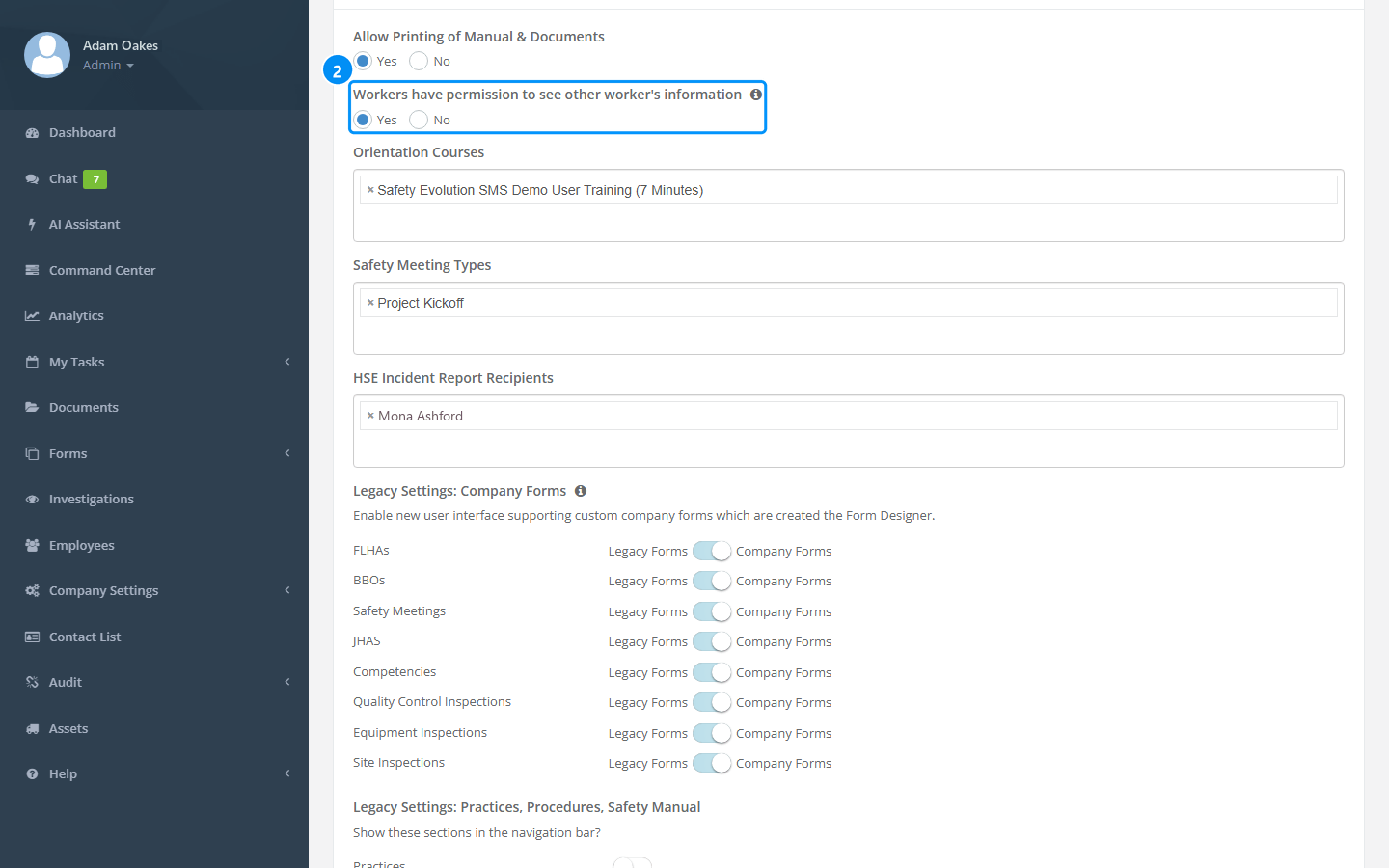
Yes lets workers see the Contact List.
Updated October 24, 2026