![side_logo.png]](/theme/site/shared/images/side_logo.png)
Reading bulletins
Find a bulletin from your company in chat and open it, so your company knows you have read it.
Try it free Start with Safety Evolution's Free version.
A bulletin is an important message from your company, like a hazard alert or a policy change. It comes to you in chat. Your company can see whether you have read it.
Read a bulletin on the phone
- Tap Chat at the bottom of the screen.
- Find the chat whose name starts with "Bulletin:". New bulletins show near the top. You can also type "Bulletin" in Search....
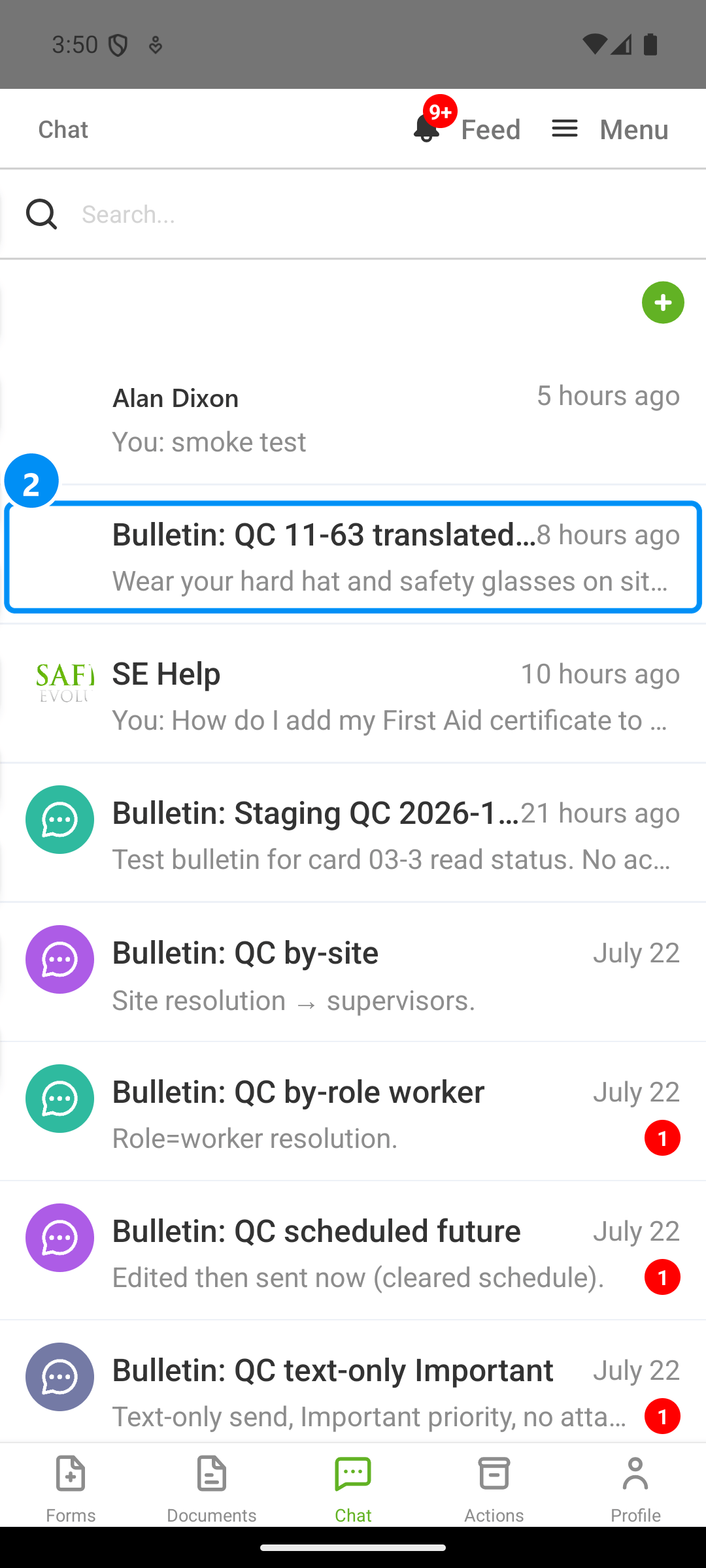
Each bulletin is its own chat, named "Bulletin:" and its title. - Tap it to open it.
- Read the message. If there are files, tap one to open it.
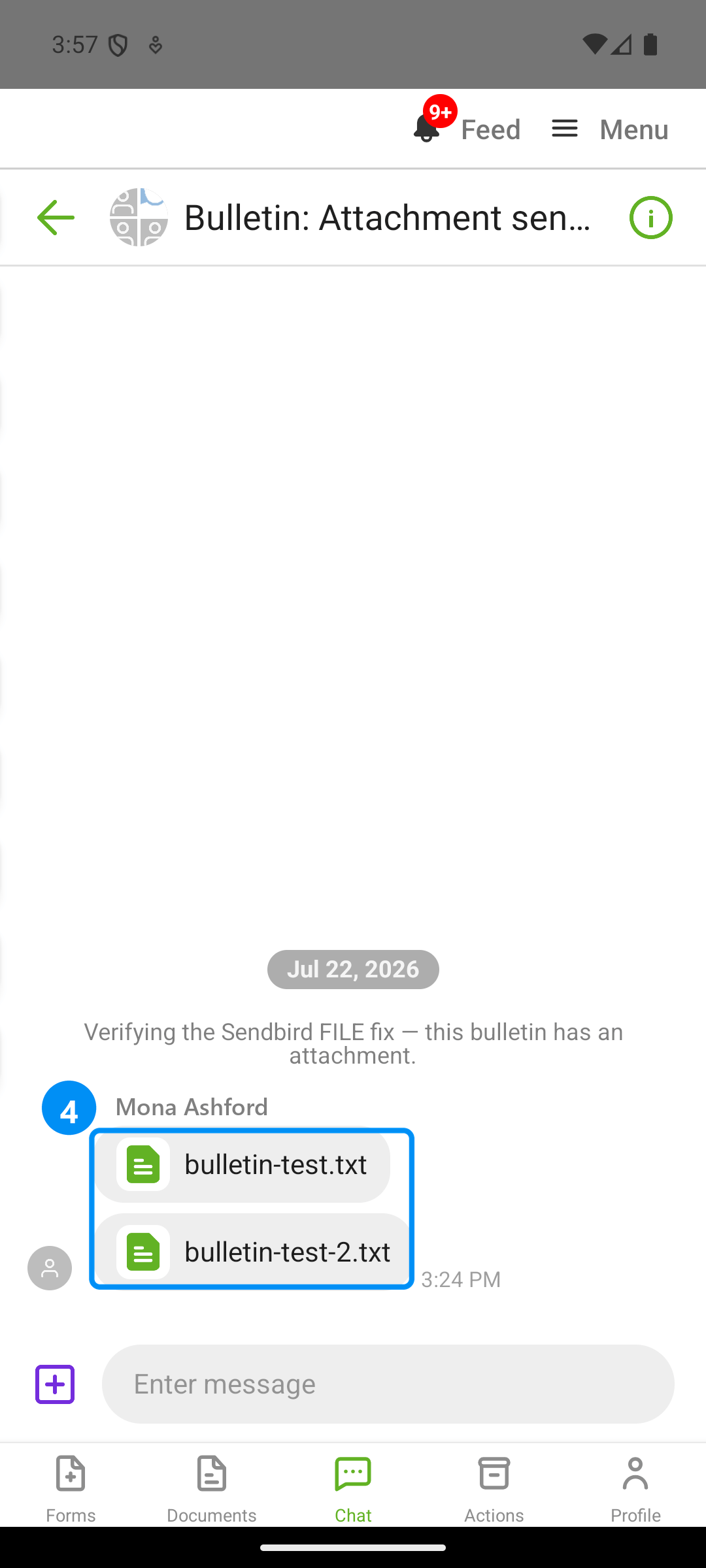
The message comes first, then any files.
Read a bulletin on the web
- Click Chat in the menu on the left.
- In Channel List, click the chat whose name starts with "Bulletin:".
- Read the message and any files.
How your company knows you read it
- Opening the bulletin in chat is what marks it as read. Getting it on your phone is not enough.
- It does not matter if you open it on the phone or the web.
- Your company's report can take up to about 15 minutes to show it.
If something goes wrong
- You can't find a bulletin you were told about: it may not have been sent to you. Ask the person who sent it.
- "Chat couldn't connect. Pull down to try again" (phone): check your signal, then pull the chat list down.
Updated October 24, 2026