![side_logo.png]](/theme/site/shared/images/side_logo.png)
Start a free Safety Evolution account
Sign your company up for the Free plan in a few minutes, or for Professional with a card, and know what to do first.
Try it free Start with Safety Evolution's Free version.
You can start using Safety Evolution today on the Free plan. It costs nothing and needs no card. If you need more people or forms, you can sign up for Professional instead.
Before you start
- Use a computer or a phone's web browser.
- Use your work email. It becomes your login.
- If your company already uses Safety Evolution, don't sign up again. Ask your company's owner or admin to invite you.
Sign up for the Free plan
- Go to safetyevolution.com/signup/free. The page is headed Start free and says No credit card. Up to 10 users.
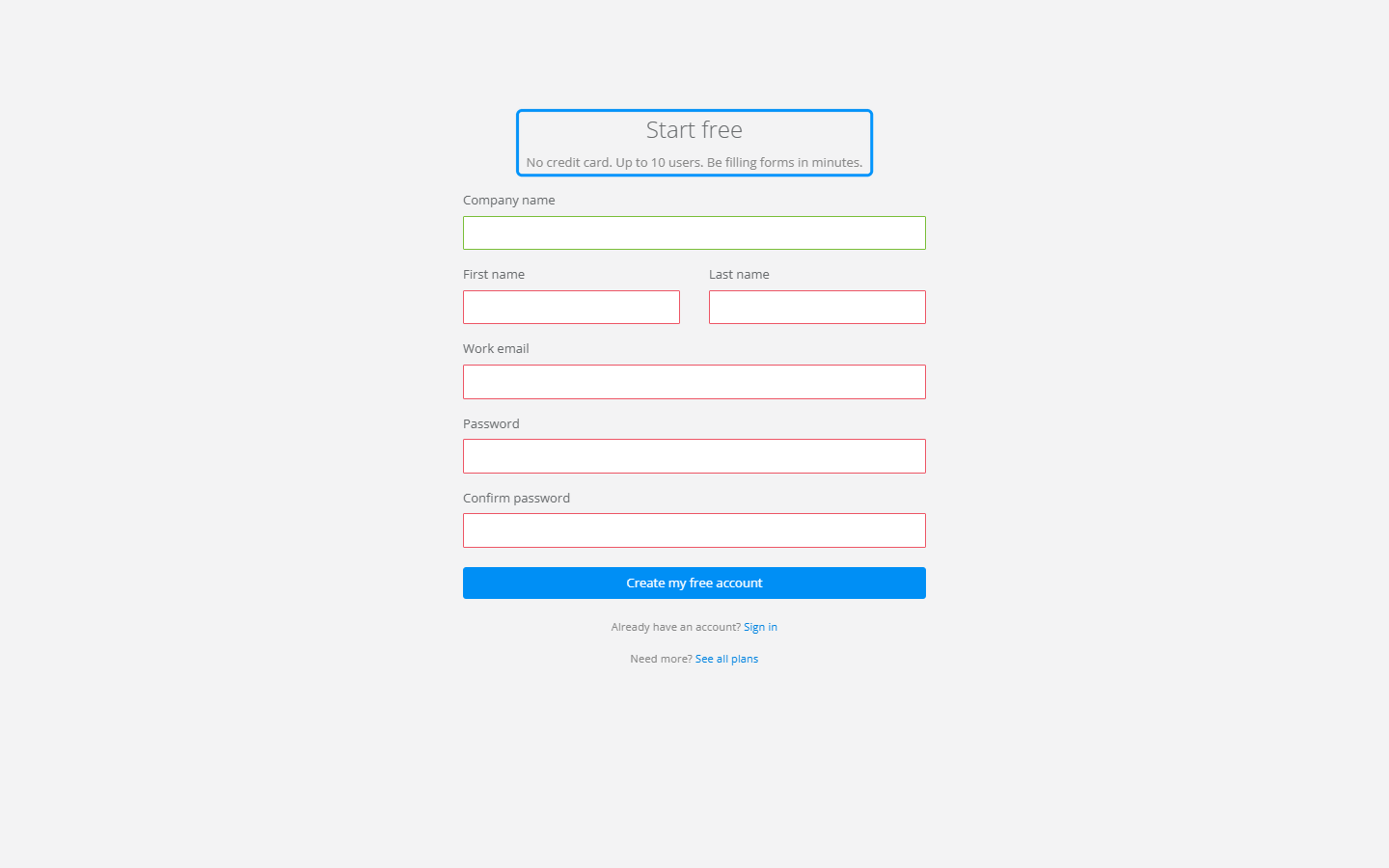
The Free sign-up page. - Fill in Company name, First name, Last name and Work email.
- Choose a Password of at least 8 characters. Type it again in Confirm password.
- Click Create my free account.
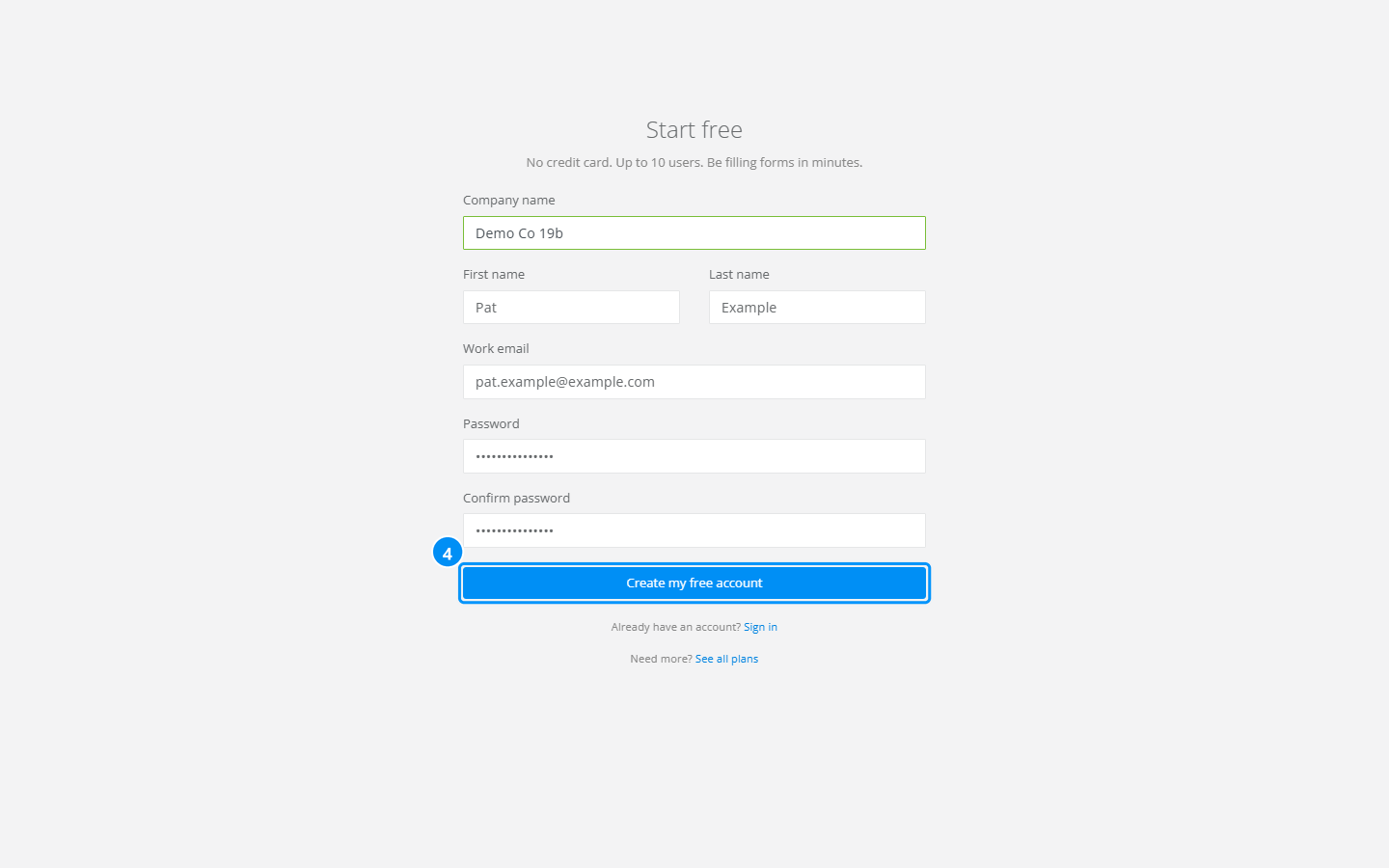
Fill in the form, then create the account. - Your Dashboard opens with Welcome to Safety Evolution! You are logged in, and you are the owner of your company's account.
What the Free plan includes
- Up to 10 users. Invitations that haven't been accepted yet count toward the 10.
- 3 live forms. You can keep as many draft forms as you like.
- Training and certificates, the phone app and the web, and email support.
For the full list and how to upgrade, see "Plans, upgrading and billing".
Sign up for Professional instead
Professional is $29 per user per month, or $24 per user per month billed yearly.
- Go to safetyevolution.com/pricing.
- On the Professional card, click Start free trial. The card payment page opens. Enter your details and finish.
- You come back to Welcome to Safety Evolution. While it says Setting up your account…, keep the page open. It usually takes a few seconds.
- When you see Create your password, type a Password and Confirm password.
- Click Continue to dashboard. You are logged in as the owner.
What to do first
- Open Help › Help Centre. Your getting-started checklist is there. See "Use the Help Centre".
- Invite your team. See "Invite employees".
- Publish your first form. See "Form Designer: create, publish and manage form designs".
- Set up your sites and their supervisors. See "Add or change a site and its supervisors".
If something goes wrong
- "Company name is required.", "First name is required.", "Last name is required." or "A valid email is required.": fill in that box and click Create my free account again.
- "Password must be at least 8 characters.": choose a longer password.
- "Passwords do not match.": type the same password in both boxes.
- "An account with that email already exists — please sign in.": you already have a login. Sign in, or use Forgot your password? on the sign-in page. If you meant to start a second company, use a different email.
- "Something went wrong creating your account. Please try again, or contact support@safetyevolution.com if it persists.": try again. If it happens again, email support.
- "Setup is taking longer than expected" (Professional): your payment went through but the account isn't ready yet. Email support@safetyevolution.com and give them the session number shown on the page.
- "We couldn't find your account — contact support if this persists." (Professional): email support@safetyevolution.com.
- You see "Rate limit exceeded": too many sign-ups came from your network in the last hour. Wait an hour and try again.
Updated October 24, 2026