![side_logo.png]](/theme/site/shared/images/side_logo.png)
Complete or miss a reminder
See your reminders, mark one complete with the form you handed in, or mark it missed with a reason.
Try it free Start with Safety Evolution's Free version.
A reminder tells you a form is due, such as a weekly site inspection. Your company sets reminders up. You clear a reminder in one of two ways: Complete it with the form you handed in, or Miss it and say why.
See your reminders
- In the left menu, click My Tasks, then Reminders.
- Look at Open Reminders. Each row shows the Site, Type, Title and Due Date.
- A red mark beside the date means Past Due. An orange mark means Due Today.
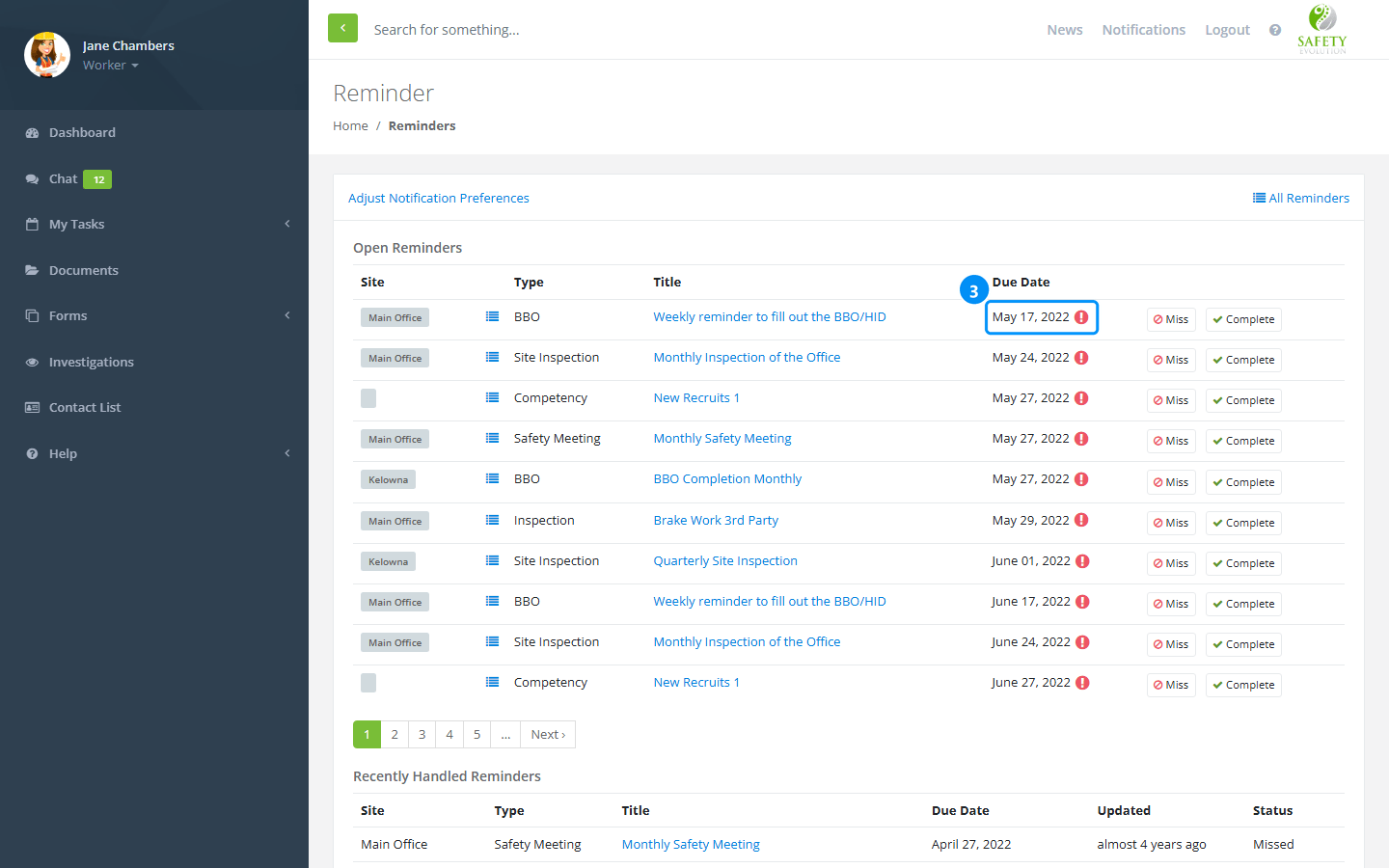
The Reminders page.
Complete a reminder
Hand in the form first. A reminder can only be completed with a form that has been handed in.
- Fill in and hand in the form the reminder asks for.
- Go back to My Tasks > Reminders.
- Click Complete on the reminder's row. On a narrow screen this is the green check mark.
- A window lists the forms that match. Find the one you handed in. Check its Last Updated date and Site.
- Click Complete on that form's row.
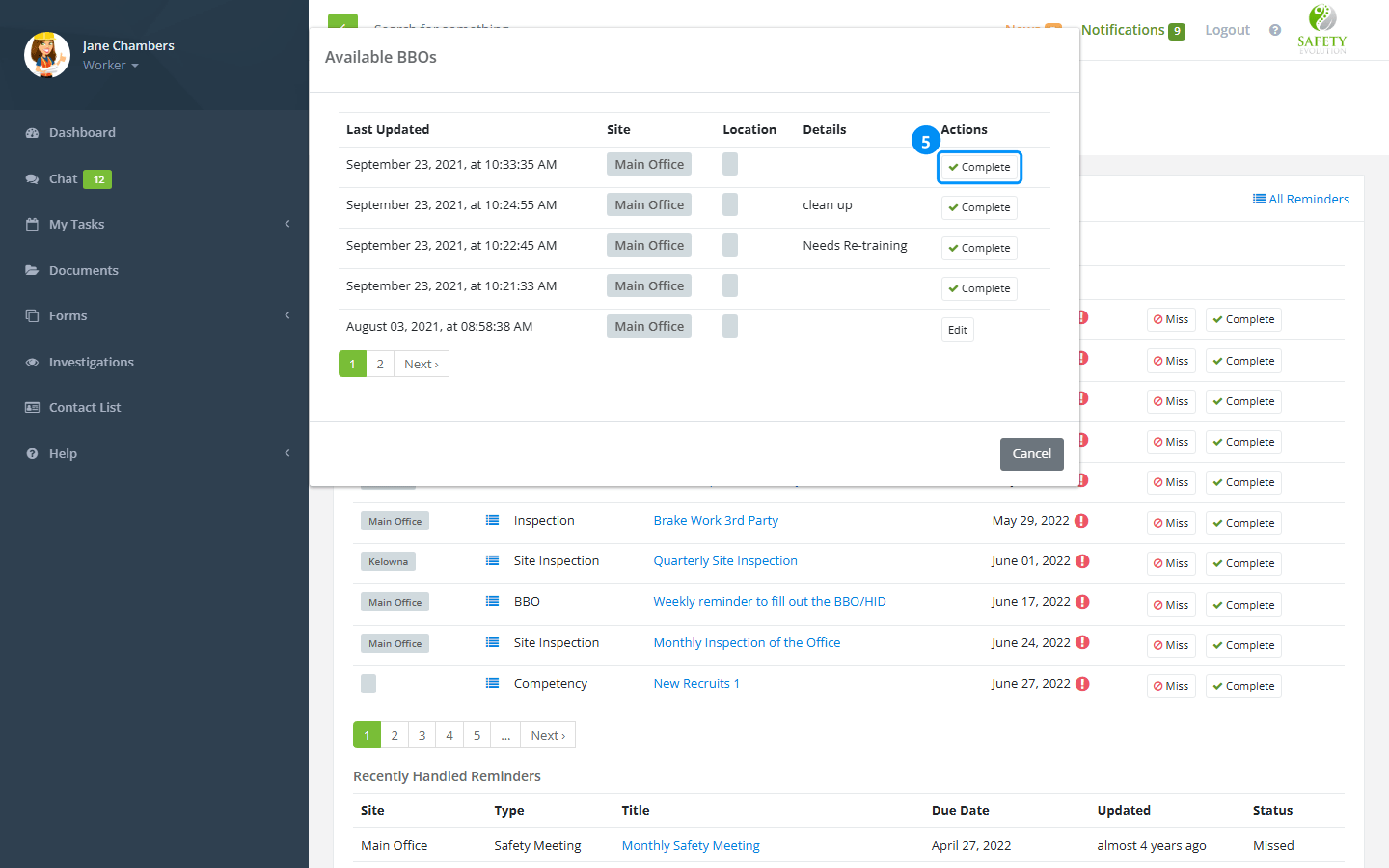
Pick the form you handed in. - The reminder moves to Recently Handled Reminders.
Miss a reminder
Use this when the work did not happen, for example the site was closed that week.
- Click Miss on the reminder's row. On a narrow screen this is the red circle with a line through it.
- In Add Missed Comment, type the reason in Comment Text. A reason is required.
- Click Miss Reminder.
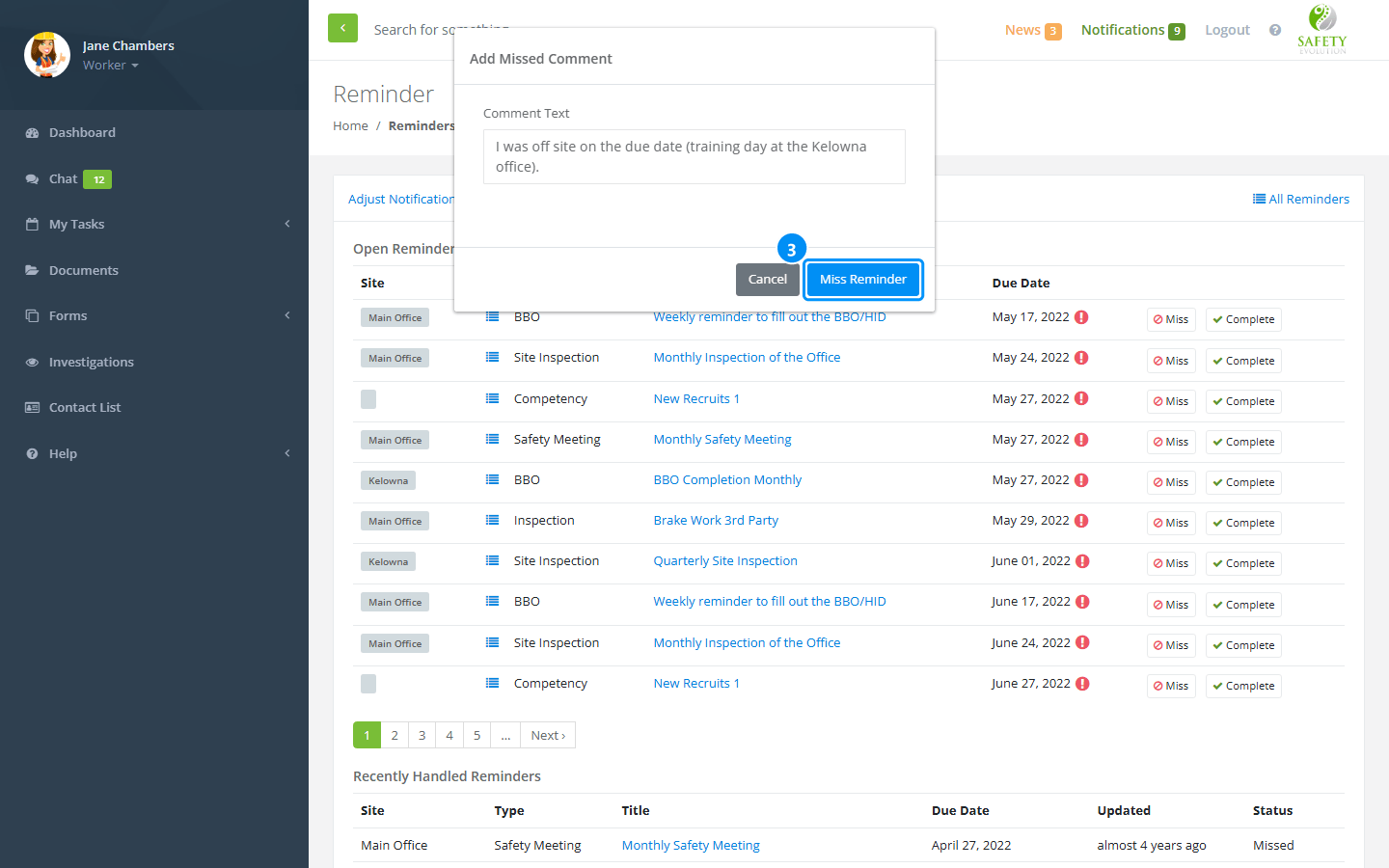
Say why the reminder was missed. - The reminder moves to Recently Handled Reminders.
Reminders on your Home page
On the new Home, open reminders also show under Needs your attention. If you went back to the old dashboard, click Try the new dashboard to see them there.
- They show as Required action, grouped under Overdue, Today and This week.
- Click Start on a row to open that reminder.
- Home shows reminders that came due in the last 7 days or later, newest first. Older past-due reminders show only on My Tasks > Reminders.
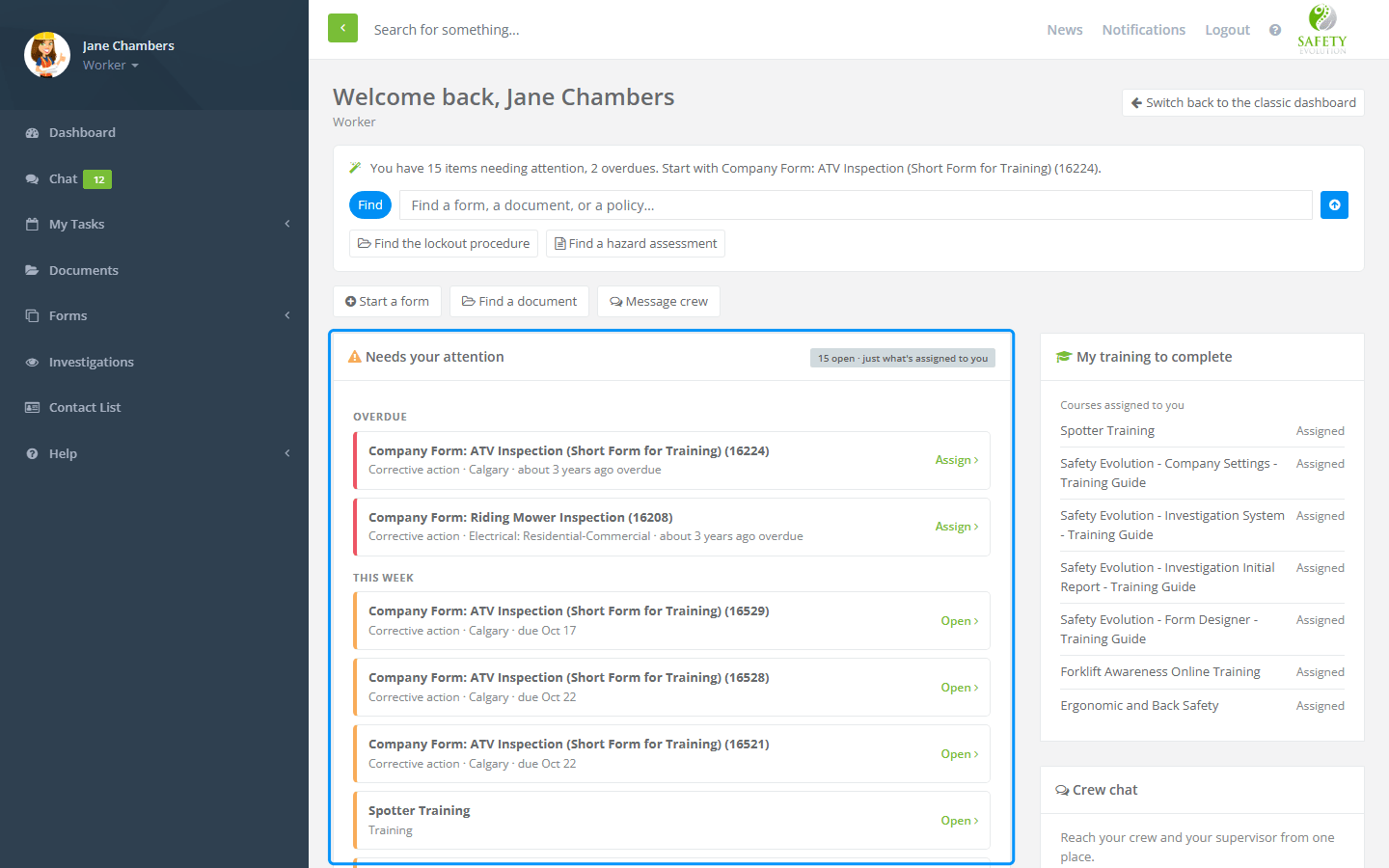
More on the Reminders page
- All Reminders (top right) shows a full list of reminders.
- Adjust Notification Preferences (top left) lets you choose how you hear about reminders.
- Click a reminder's Title to open it. From there you can also click Miss.
If something goes wrong
- "None Found" in the Complete window: no matching handed-in form yet. Hand in the form, then try again.
- The form shows Edit, not Complete: that form is still a draft. Open it with Edit and hand it in first.
- "Please enter a comment...": type a reason before you click Miss Reminder.
Updated October 24, 2026