![side_logo.png]](/theme/site/shared/images/side_logo.png)
The AI Assistant and your company's data
What the AI Assistant reads to answer you, who can use it, what happens to files you attach and chats you delete, and how it differs from SE Help.
Try it free Start with Safety Evolution's Free version.
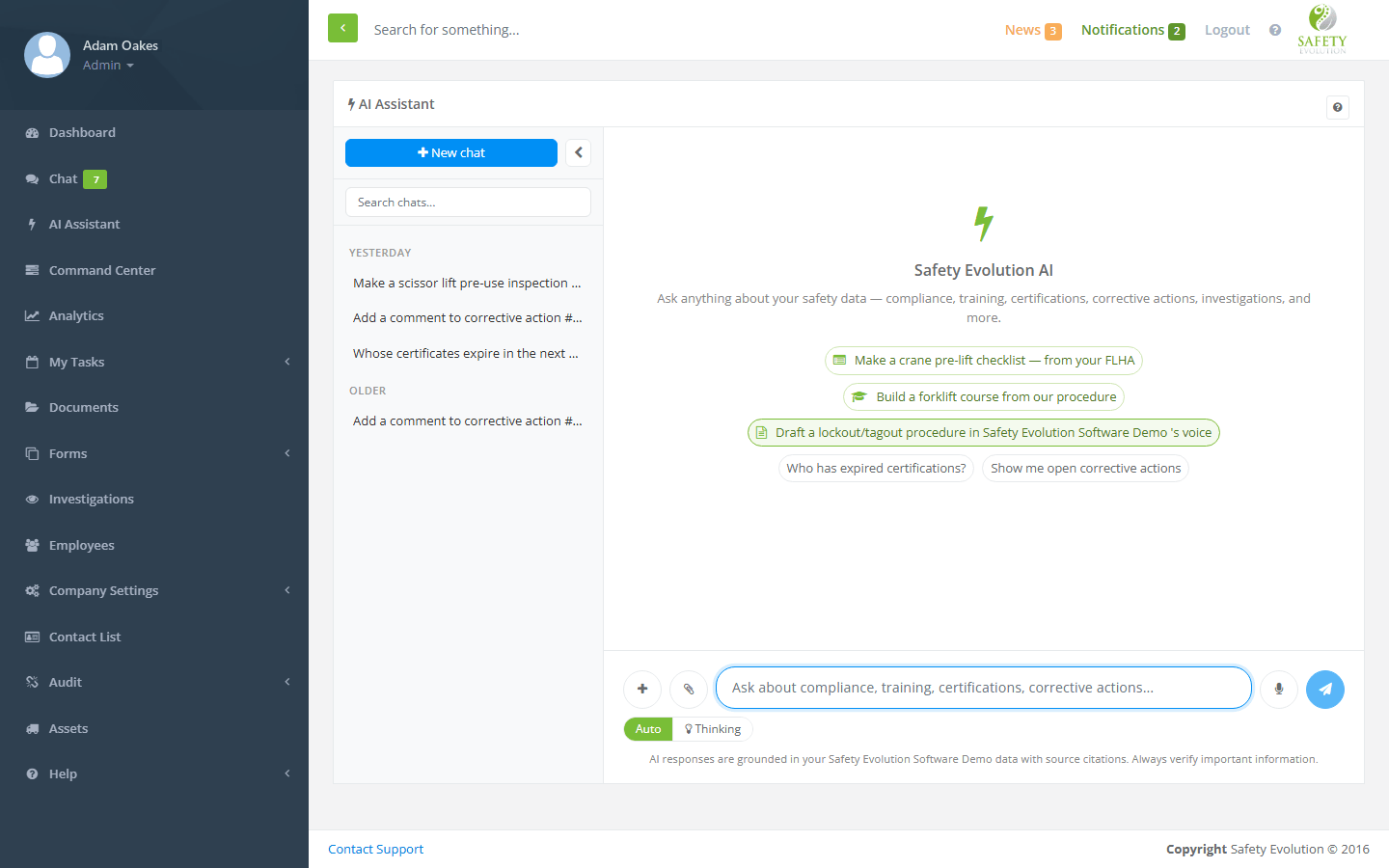
The AI Assistant works with your own company's safety records. It answers from them, shows where each answer came from, and only makes changes you confirm. This page explains what it reads, who can use it, and what happens to your files and chats.
Who can use it
- Owners, designates and admins. Only they see AI Assistant in the left menu. Anyone else who opens the page is sent back to their dashboard with the message AI Assistant is available for management users.
- It comes with the Professional and Enterprise plans, or when Safety Evolution turns AI on for your company.
- Supervisors and workers don't use the AI Assistant. The search bar on their Home page finds published documents. See Your Home page and what needs your attention.
What it reads
- Your company's records in Safety Evolution: training, certificates, corrective actions, forms, incidents and investigations, hours, documents and more. Only your company's, never another company's.
- Any file you attach to your message.
Under each answer, Sources: lists the records it used. Click one to open it and check. Used: shows the searches it ran.
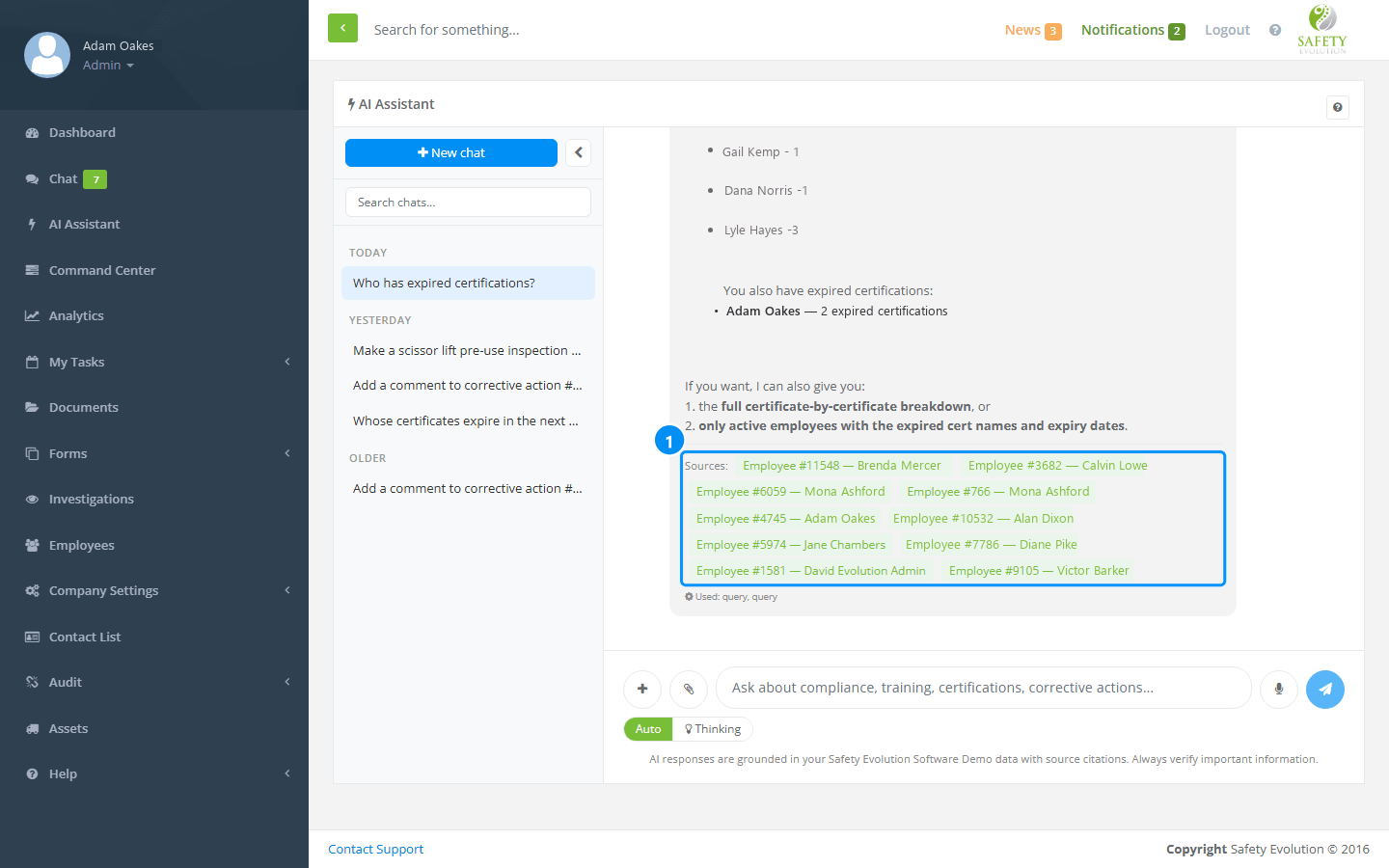
Important: always check an answer before you act on it, especially for a decision about a person's safety or training.
Files you attach
If your AI Assistant has a paperclip (Attach a file) beside the message box:
- You can attach PDFs, pictures, Word, Excel and PowerPoint files, and text or CSV files, up to 25 MB each.
- An attached file is used for the message you send with it. Attach it again for a new request.
- You can attach several files to one message. Up to 20 are used.
- For a very long file, the AI reads the beginning and the end.
- The AI treats your file as reference material only. It never follows instructions written inside a file.
Changes it makes
The AI Assistant never changes your records by itself. It proposes each change, and nothing happens until you click Confirm. It works with your own permissions, so it can only do what you are allowed to do. Forms, documents and courses it builds are drafts until you save them. See Approve or cancel what the AI Assistant proposes.
Your chats
- Your chats are your own. The list on the left shows only the chats you started, up to your latest 50.
- When you delete a chat, you see Delete this conversation? It will be hidden but retained for compliance. It disappears from your list, but Safety Evolution keeps it for the time safety records must be kept.
The AI Assistant, SE Help and outside assistants
- AI Assistant: works on your company's data. Ask it about your records, and have it take steps and build things.
- SE Help: answers how to use Safety Evolution, in Chat, for everyone. See Get help: SE Help in chat and contacting support.
- Your own AI tools: if your plan includes API access, you can connect an outside assistant to Safety Evolution. See the AI / MCP tab in API keys and integrations.
If something goes wrong
- No AI Assistant in your left menu: only owners, designates and admins have it.
- "AI Assistant is available for management users.": your role can't use the AI Assistant. Ask an owner, designate or admin.
- The page shows Contact Us to Enable AI Agents: AI isn't on for your company. It comes with the Professional and Enterprise plans.
- For busy, limit and file messages, see When AI is busy, limited or unavailable.
Updated October 24, 2026