![side_logo.png]](/theme/site/shared/images/side_logo.png)
Share or print a certificate
Print a worker's certificate from their profile, or send certificates to a customer from the Command Center.
Try it free Start with Safety Evolution's Free version.
Certificates print exactly as they always have: the wallet-size card, front and back, with both signatures. Your brand never changes a certificate. To send certificates to a customer or an auditor, use the Command Center.
Before you start
- Owners, designates, admins, supervisors and auditors can print a worker's certificates. Workers can print their own.
- Sending certificates from the Command Center is for owners, designates and admins, once the Command Center is turned on for your company.
Print a certificate
- In the left menu, click Employees, then the worker's name. Their profile opens.
- Find the certificate under the worker's certificates and click Print. The certificate opens in your browser's print window, front and back.
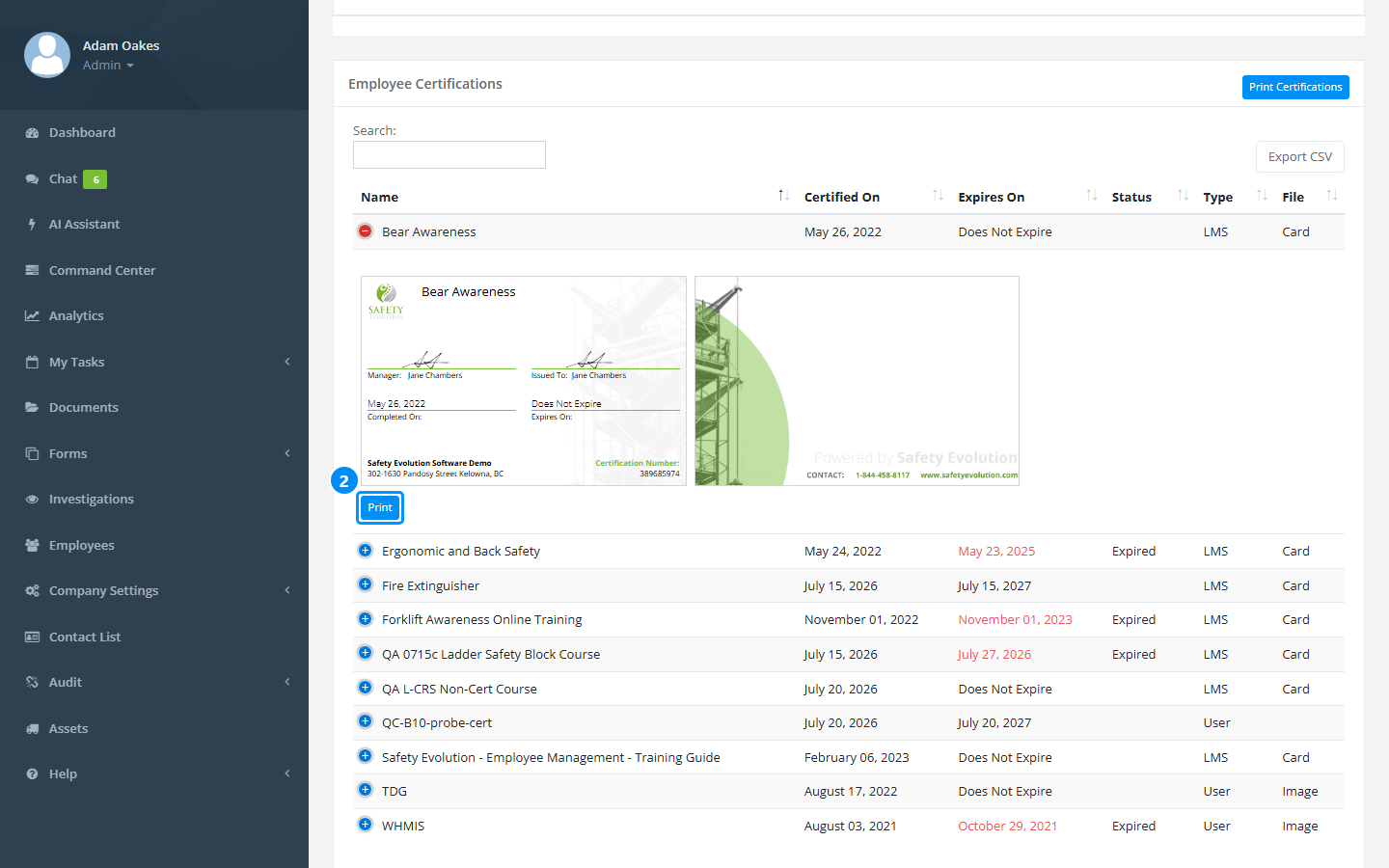
Print opens the certificate to print.
To print all of a worker's course certificates at once, click Print Certifications in the Employee Certifications box.
A course certificate prints on the course's own design if it has one, and on the standard certificate design if not.
Print a worker's whole profile
Click Print Profile at the top of Profile Detail. The print window opens with the worker's photo and bio and each of their certificates. See Print a worker's certificates for a client.
Send certificates to a customer
In the Command Center, open Training, tick the workers, pick their certificates and send your customer one link with a PDF. See Share training with a customer.
Training evidence for an auditor
Owners, designates and admins can open a Training Completion Evidence PDF for a worker's course. On Compliance Reports, click Evidence on the worker's row. See Training compliance reports.
If something goes wrong
- No Print Certifications button: the worker has no course certificates. Print each uploaded certificate from its row.
- No Command Center in the menu: it isn't turned on for your company, or you aren't an owner, designate or admin.
Updated October 24, 2026