Mobile Safety App for Field Teams
Give every worker a simple, reliable way to complete safety forms in the field, even without service. Safety Evolution helps you keep crews compliant and managers in control across construction, oil and gas, industrial, manufacturing, and mining sites.
.png?width=600&height=480&name=Free%20Trial%20-%20take%20your%20safety%20program%20paperless%20(3).png "Free Trial - take your safety program paperless (3)")
Ditch paperwork and go digital
Use it to standardize forms, improve completion rates, and give supervisors real-time visibility across crews and sites.
Built for the field, connected for management
Field teams need speed. Managers need visibility. Safety Evolution gives you both in one mobile safety app.
- Complete FLHAs, inspections, permits, toolbox talks, and incident reports from any phone or tablet.
- Work offline in low-service areas, then auto-sync when connected.
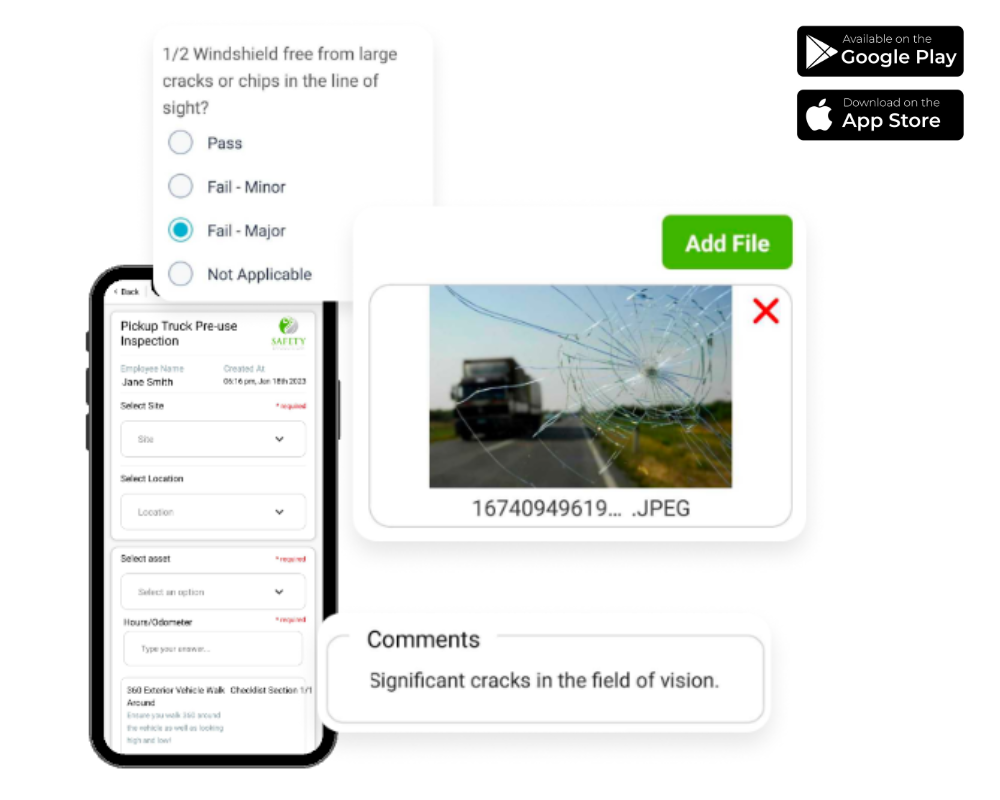
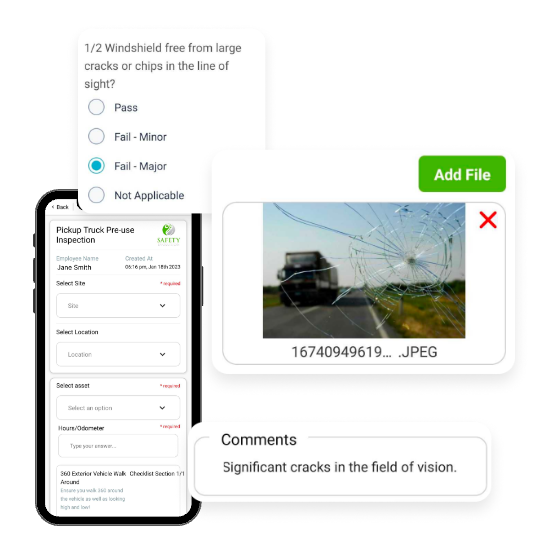
- Attach photos, videos, comments, and documents at the source.
- Capture worker and third-party signatures with date and time stamps.
- Trigger corrective actions automatically based on form responses.
- Track completion status across crews, sites, and supervisors in real time.
Stop chasing paperwork and missing forms
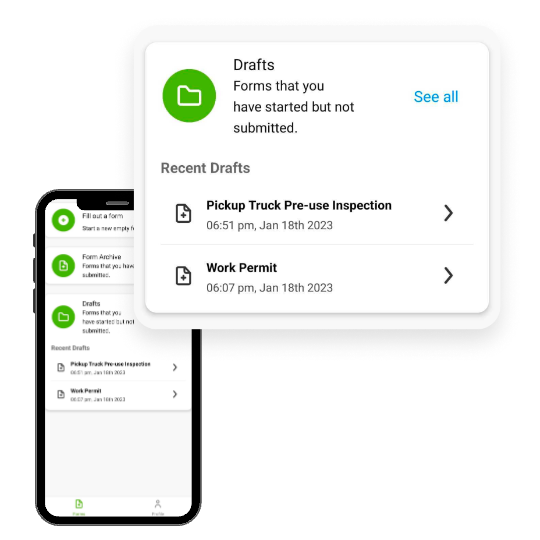
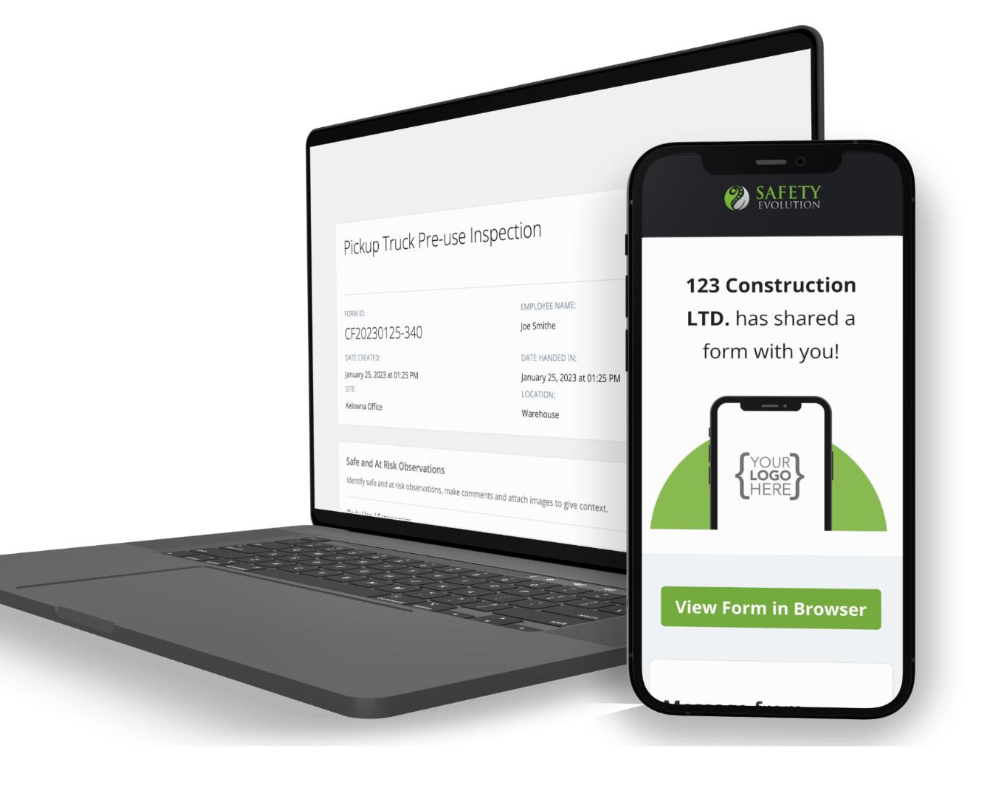
If forms are stuck in trucks, job trailers, or inboxes, your team is always behind. With Safety Evolution, forms are submitted digitally from the field and searchable instantly by site, worker, form type, and date.
Outcome: Less admin time, faster follow-up, cleaner audit trails.
Keep critical safety details from getting lost
Incomplete forms create risk. The mobile app makes it easy for crews to capture complete records while work is happening, including photos, videos, comments, and supporting files.
Use it for: equipment inspections, FLHAs, incident reporting, daily checks, and toolbox talks.
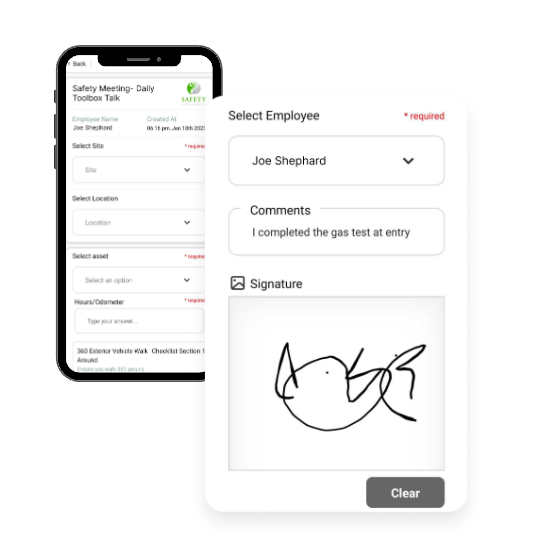
Capture signatures and completion timestamps in the field
Collect worker and third-party signatures with automatic date and time stamps. Every submission creates a clear, defensible completion record for supervisors and auditors.
Turn form data into action automatically
When a form flags an issue, your team should not have to manually create follow-up tasks. Workflows can trigger corrective actions, assign owners, set due dates, and track closeout.
Outcome: Fewer missed hazards and faster corrective action completion.
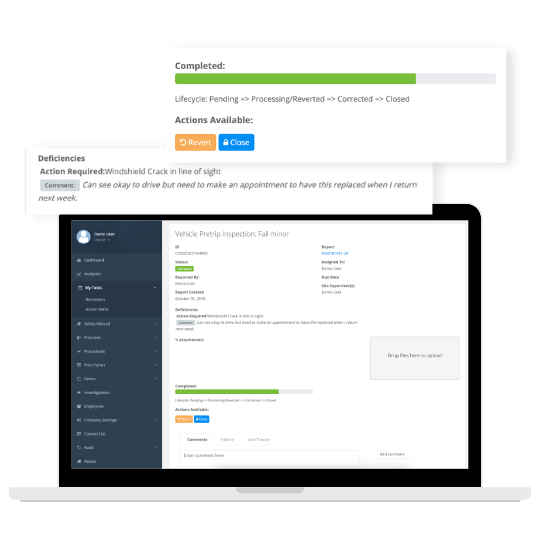
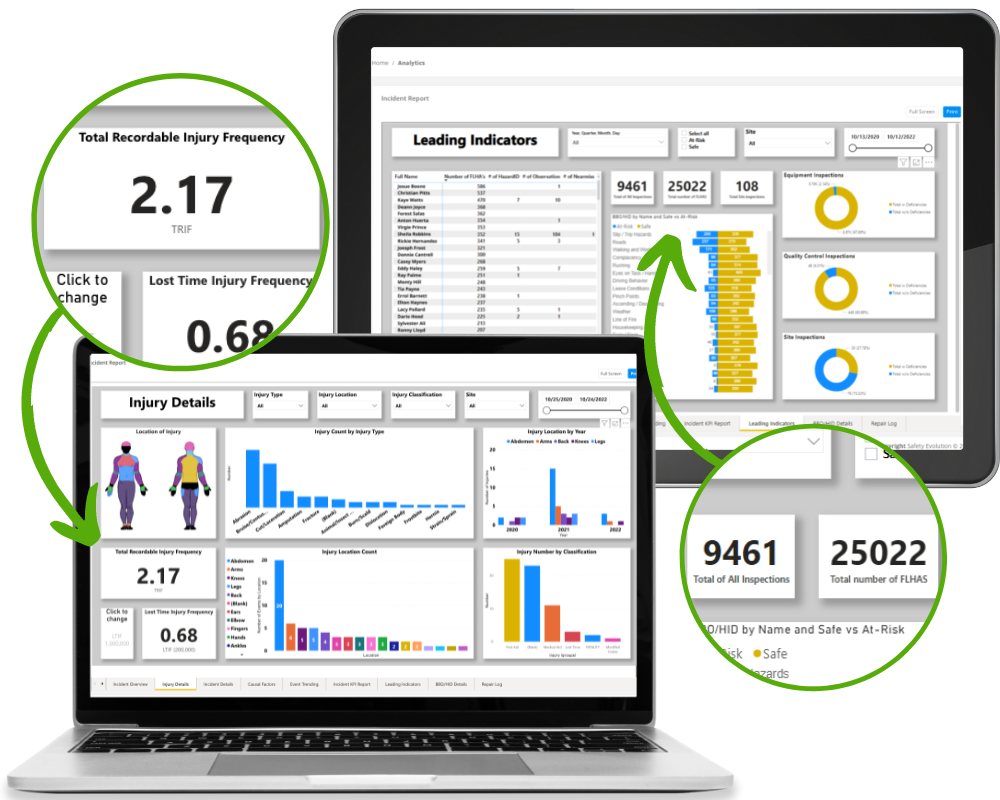
Auto-sync to the manager dashboard
As workers complete forms and update corrective actions, everything syncs automatically to the manager dashboard for real-time visibility.
That means: no duplicate entry, no lost updates, and faster supervisor response.
Give workers access to current documents in the field
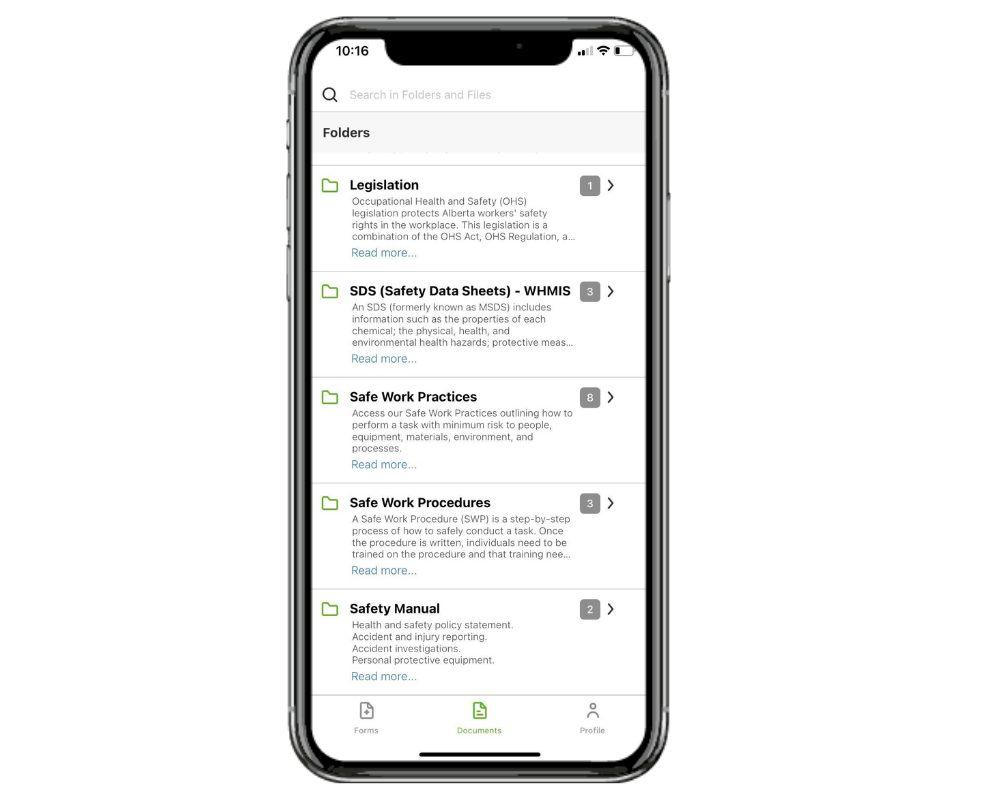
Upload safety manuals, SOPs, SDS, and procedures once. Workers can access current versions in-app, anytime and anywhere.
Outcome: Fewer outdated binders, better field compliance, and faster onboarding.
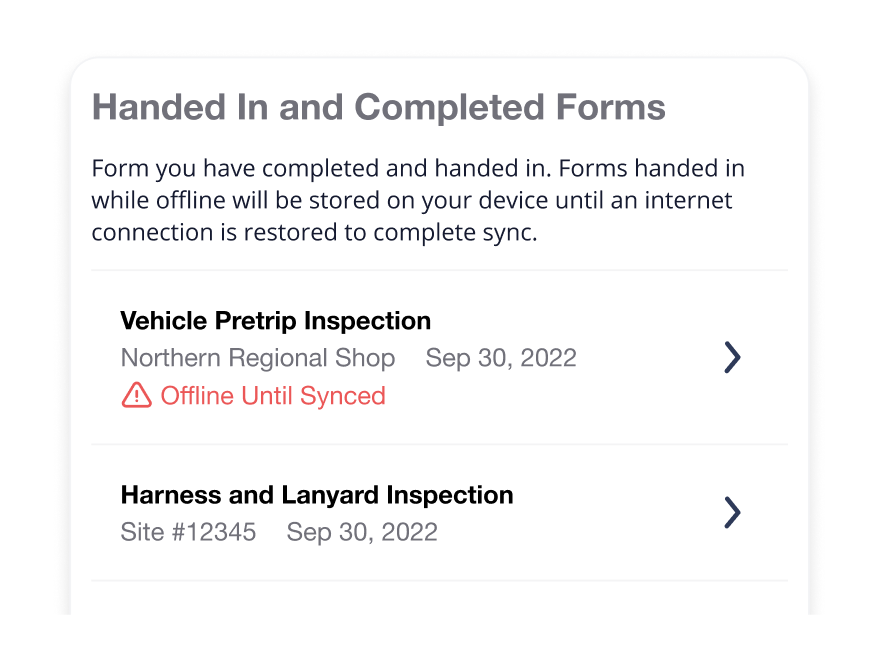
Keep workers connected, even out of service
Crews can complete and save forms offline. When service returns, data syncs automatically.
Keep safety communication in one place
Use in-app chat to coordinate safety issues, form follow-ups, and field updates without jumping between text messages, email, and external apps.
- Start crew- or site-specific conversations in seconds
- Share photos, comments, and documents directly in the thread
- Keep communication tied to forms, corrective actions, and work context
- Give supervisors real-time visibility into what is happening in the field
Faster response, clearer accountability, and fewer communication gaps.

Frequently Asked Questions
Does the app work without cell service?
Yes. Workers can complete forms offline and the app syncs data automatically when a connection is available.
Can we use our own forms?
Yes. Safety Evolution supports custom company forms and workflows based on your operations.
Can we track corrective actions from mobile form responses?
Yes. You can trigger corrective actions automatically, assign owners, and track due dates and completion.
Which industries is this best for?
Safety Evolution is built for field-based teams in construction, oil and gas, industrial, manufacturing, mining, and utilities.
Can workers attach photos and documents?
Yes. Teams can attach photos, videos, comments, and documents directly to forms in the field.
Core capabilities at a glance
Digital forms in the field
Complete FLHAs, inspections, permits, toolbox talks, and incident reports from any phone or tablet.
Media-rich documentation
Attach photos, videos, comments, and documents directly to records at the point of work.
Signatures with timestamps
Capture worker and third-party signatures with automatic date and time stamps for defensible records.
Automated corrective actions
Trigger workflows from form responses, assign owners, set due dates, and track closeout.
Offline completion and auto-sync
Forms are saved in-app without service and sync automatically when connection returns.
Manager dashboard visibility
Track completion status across crews, sites, supervisors, and form types in real time.
Current documents in-app
Provide safety manuals, SOPs, SDS, and procedures so workers always use current versions.
Built-in library and workflows
Start on day 1 with a built-in form library and workflows already built in for fast rollout.
What field teams say
Safety Evolution has a broad platform on both safety and asset management. It is very beneficial in the sense that, I am able to see my equipment inspections, manage maintenance, and audit it all remotely.
We have real-time access to our data. Gone are the days when we are waiting for forms and inspection reports to be submitted. Everybody has access to that in real-time and can coordinate their own day.
Safety Evolution Software was the tool we needed to unify our safety program and have a more manageable system. The team at Safety Evolution goes above and beyond and is always available to answer questions, fix problems, and walk you through the tools that you are learning to use.
Today more and more organizations are looking deeply into data to uncover new safety insights and make better-informed decisions. With so much data easily obtainable, building out your reporting dashboard from scratch can seem daunting. Where do you even start? Which KPI's are most significant to track?
Free Safety Orientation and Onboarding Checklist
Standardize orientation and onboarding with a field-ready checklist your supervisors can use immediately.
Download the template and deploy a cleaner process across crews and sites.
.png)
Ready to digitize your safety program?
Start Your 30-Day Free Trial
