Health & Safety Program
Near Miss Examples at Work
Real near miss examples from jobsites, shops, and field work. Learn what counts, what crews miss, and what should trigger a report.
A near miss is an event that almost caused injury or damage. Learn why near-miss reporting prevents real incidents, plus a free template to start your program.
Last updated: May 2026
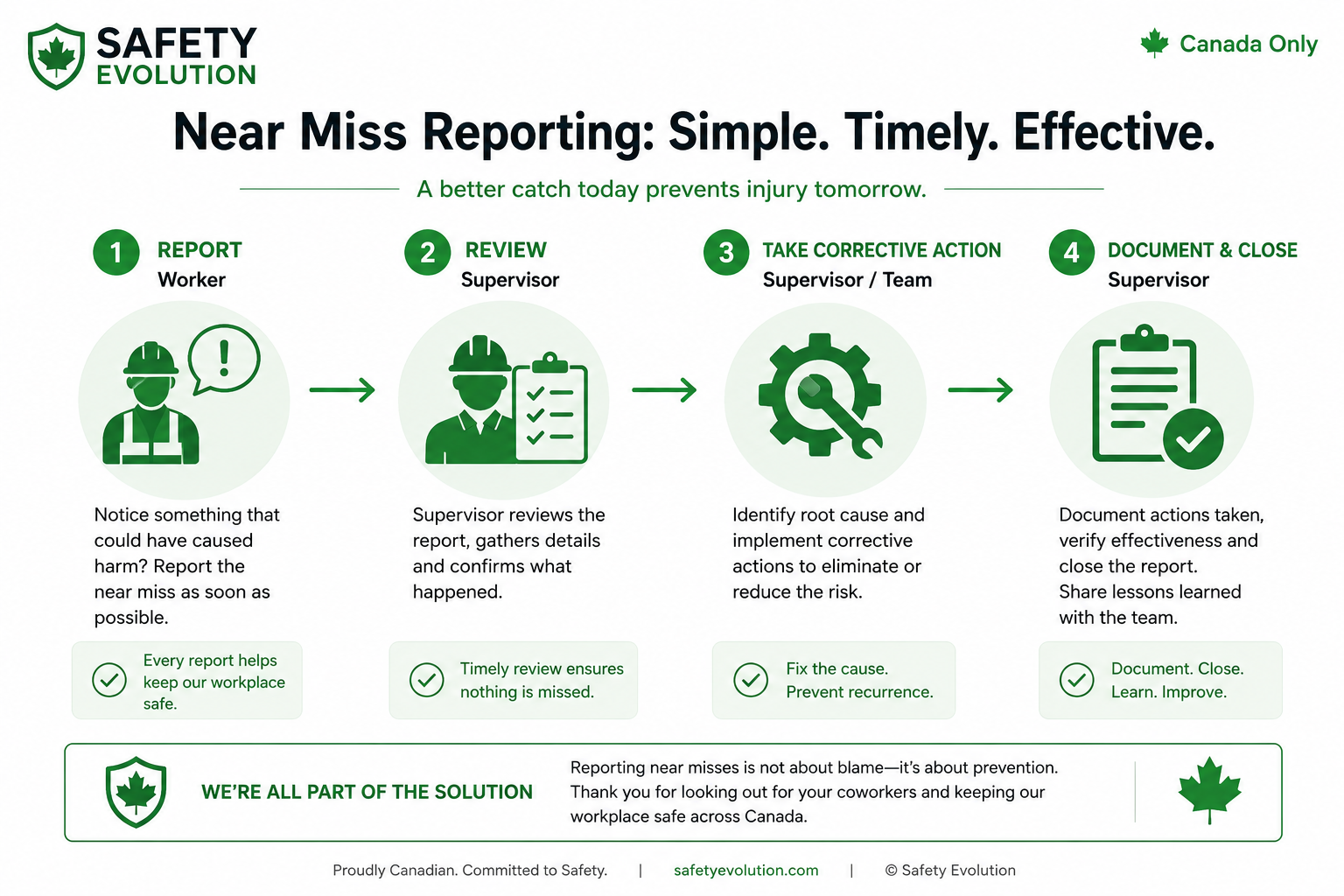
A near miss report should be easy enough for a worker to submit in the field and complete enough for a supervisor to act on. If the form is too long, crews skip it. If it is too vague, safety managers cannot use it. The best template finds the middle ground: fast intake, clear risk details, and visible follow-up.
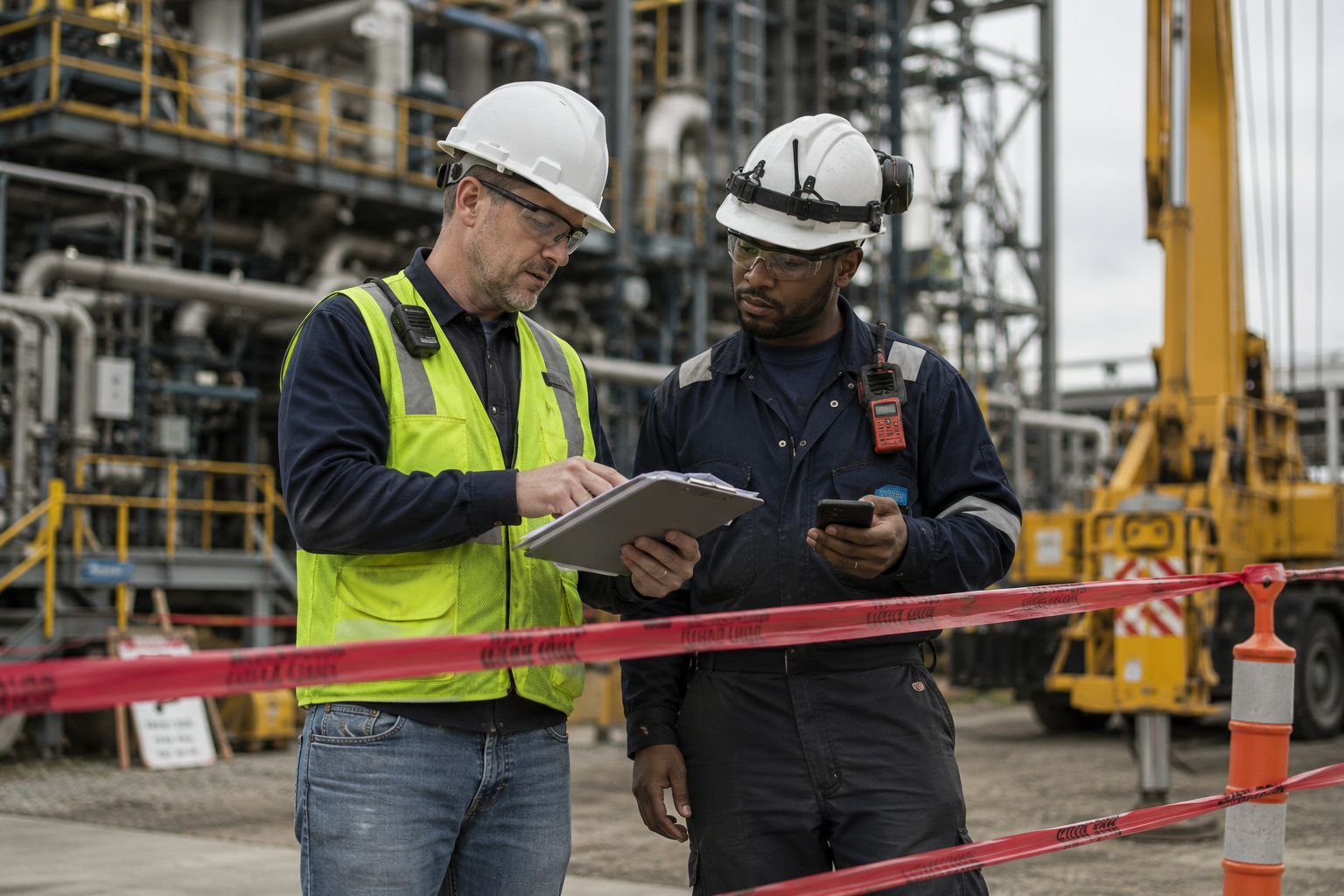
The template should collect enough information to understand the event and manage follow-up. It does not need to turn every close call into a formal incident investigation. Start with these fields:
| Field | Why it matters |
|---|---|
| Date, time, and location | Shows when and where the event occurred and supports trend review. |
| Reporter and supervisor | Gives ownership for clarification and follow-up. |
| Task being performed | Connects the close call to a job step, process, or work phase. |
| Description of what happened | Captures the sequence without blame or assumptions. |
| People, equipment, or environment exposed | Shows what could have been harmed. |
| Potential consequence | Helps triage low, moderate, or high-potential events. |
| Immediate action taken | Shows how the hazard was controlled right away. |
| Photos or attachments | Adds context and reduces confusion later. |
| Corrective action owner and due date | Turns the report into accountable follow-up. |
| Verification and closeout | Confirms that the corrective action was completed and effective. |
For the full context of why these reports matter, see the near miss reporting guide. For examples crews can recognize, use the near miss examples at work page.
Still relying on memory after close calls?
If near misses live in text messages, notebooks, or verbal updates, patterns disappear fast. Start your 30-day free trial and make reporting easier for supervisors and crews in the field.
Start Your 30-Day Free Trial →Event: A worker walking through the laydown yard stepped back just before a forklift turned into the aisle with a pallet blocking the operator's view.
Potential outcome: Struck-by injury involving mobile equipment.
Immediate action: Work stopped in the aisle. Pallet staging was moved away from the corner. Supervisor reviewed pedestrian route with the crew.
Corrective action: Add a marked pedestrian walkway, install a mirror at the blind corner, update the yard traffic plan, and review spotter requirements for congested material movement.
Owner and due date: Site supervisor to complete walkway and signage by Friday. Safety manager to verify during next inspection.
This example works because it does not stop at "be careful around forklifts." It identifies the exposure, the control weakness, and the action required to reduce repeat risk.
If the event needs deeper review, move into the near miss investigation process. If the event could have caused serious harm, use the high-potential near miss escalation criteria.
Paper forms can work for small teams, but they create problems as the company grows. They are easy to lose, hard to search, slow to trend, and weak for corrective action tracking. A digital form allows workers to report from the field, attach photos, route follow-up, and keep dashboards current.
The biggest advantage is closeout. A near miss report is not complete when someone submits it. It is complete when the exposure is controlled and the corrective action is verified. Digital workflows make that ownership easier to manage.
Use plain language, mobile-friendly fields, drop-down categories, photo upload, and a short description field. Do not require workers to choose legal classifications or complete a full root cause analysis before submitting. Let them report fast, then have supervisors and safety leads review the details.
Workers also need to see results. If they submit reports and nothing changes, reporting will fade. If they see quick fixes, improved barricades, repaired equipment, or better planning, the form becomes part of the safety culture. That is covered in our guide to near miss reporting culture.
A downloadable template is useful for quick adoption, but a live workflow is better for long-term control. A PDF or spreadsheet can standardize the questions, yet it still depends on someone saving the file, sending it to the right person, and remembering to follow up. A live workflow can route the report, remind the owner, track due dates, and keep the status visible.
If the organization is small, start with the template and build discipline around closeout. If the organization has multiple sites, supervisors, subcontractors, or high-risk work, move toward a digital workflow as soon as possible. The cost of a missed follow-up is often higher than the cost of making reporting easier.
The template should be flexible enough for both simple and serious events. A minor close call may need a short description and a quick fix. A high-potential close call should require potential severity, photos, supervisor review, investigation notes, and leadership visibility. This keeps the process practical without under-documenting serious exposures.
Add conditional fields where possible. If the reporter selects high-potential near miss, the form can open additional fields for potential consequence, immediate controls, investigation owner, and management notification. If the event is low potential, the form can stay shorter.
Strong report language is factual, specific, and neutral. Write "worker stepped back as forklift entered aisle from blind corner" instead of "worker was not paying attention." Write "temporary guardrail was removed for material access and had not been replaced" instead of "crew ignored fall protection." Better language leads to better corrective action because it points to the condition and control, not just the person.
Want better near miss reporting without more admin drag?
When reporting is clunky, supervisors skip it and crews stop believing it matters. Use Safety Evolution to capture close calls, assign follow-up, and keep the learning visible.
Start Your 30-Day Free Trial →Review the template after a serious close call, after a repeat theme appears, or any time supervisors say the form is slowing them down. A useful template should evolve with the work. If crews keep leaving fields blank, the field may be unclear. If managers cannot trend reports, the form may be missing the right categories.
Include what happened, where and when it happened, who or what was exposed, potential consequences, immediate action, photos, corrective actions, owner, due date, and verification.
The worker or supervisor who saw or was involved in the close call should report it quickly. A supervisor or safety lead can then review and complete classification and follow-up.
They may include names for follow-up, but the tone should stay blame-free. The purpose is to understand the event and correct the exposure.
For growing teams, digital reporting is usually better because it supports photos, routing, corrective actions, dashboards, and trend review.
Get Weekly Safety Insights
Regulation updates, toolbox talk ideas, and compliance tips. One email per week.
Real near miss examples from jobsites, shops, and field work. Learn what counts, what crews miss, and what should trigger a report.
12 strategies that actually change safety behaviour on construction sites. From near-miss reporting to peer accountability, here is how to build...
Learn how to build a near miss reporting system with a 7-step workflow, KPI model, and Canada vs US compliance guidance.