Last updated: March 2026
You are running safety on spreadsheets, filing cabinets, and somebody's memory. Certifications expire without warning. FLHAs pile up unchecked. The monthly compliance report takes your admin six hours to build. And when a GC asks for your TRIR, you have to dig through three different systems to calculate it. That is not a safety program. That is a liability waiting to happen.
EHS software exists to replace that chaos. And in 2026, the contractors who adopt AI-powered EHS platforms are pulling ahead of the ones still running manual processes.
Quick Answer: What Is EHS Software?
- What: EHS (Environment, Health, and Safety) software is a digital platform that centralises safety compliance, incident management, training records, and regulatory reporting in one system
- Who needs it: Contractors with 10+ employees who are juggling safety paperwork across multiple sites
- Core features: Incident reporting, compliance tracking, certification management, safety inspections, analytics and dashboards
- Cost range: a few dollars to $25+ per user/month for traditional platforms; AI-powered options offer flat-rate pricing that scales with your operation
- The AI shift: The best platforms now use AI agents that answer safety questions from your actual data, flag compliance gaps automatically, and generate reports in seconds instead of hours
- Why it matters: Reduces compliance gaps, prevents missed certification expiries, and gives you real-time safety data instead of quarterly guesswork
What Is EHS Software?
EHS software is a digital platform that manages your company's environmental, health, and safety operations in one centralised system. Instead of tracking certifications in a spreadsheet, storing FLHAs in a filing cabinet, and calculating your TRIR on a napkin, EHS software puts everything in one place where you can actually find it.
The "EHS" stands for Environment, Health, and Safety. In construction, oil and gas, manufacturing, and mining, EHS software typically handles:
- Incident reporting and investigation tracking
- Safety inspections and audit management
- Worker certification and training record management
- FLHA and hazard assessment forms
- Corrective action tracking
- Safety metrics (TRIR, LTIR, leading indicators)
- Regulatory compliance documentation
If you have heard the terms "safety management software" or "safety management system software," they overlap heavily with EHS software. The difference is mostly branding. EHS software tends to be the broader category that includes environmental compliance alongside health and safety, while safety management software often focuses purely on workplace safety. For contractors in the field, the functionality you need is the same.
Safety Evolution is building SE-AI to do exactly this: AI agents trained on your safety data, not a generic chatbot. Be the first to try it.
Why Do Contractors Need EHS Software in 2026?
Here is the blunt truth: if you are still running safety on paper and spreadsheets with more than 20 workers across multiple sites, you are already behind. Not because technology is trendy, but because the regulatory environment has caught up.
In the US, OSHA penalties for serious violations now reach $16,131 per violation, with willful violations hitting $161,323. In Canada, provincial fines vary, but Alberta OHS penalties can reach $500,000 for a first offense, and Ontario OHSA fines can exceed $1.5 million for corporations. These are not theoretical numbers. Contractors get hit with them every year because they could not produce documentation proving compliance.
EHS software solves the documentation problem. But in 2026, documentation is table stakes. The real advantage is what happens when your safety data works for you instead of sitting in a filing cabinet:
- Real-time compliance visibility. You know today whether every crew submitted their FLHAs, not at the end of the month when it is too late to fix.
- Automated certification tracking. The system alerts you 30, 60, and 90 days before a worker's fall protection or first aid cert expires. No more showing up to a GC's site with expired credentials.
- Instant safety metrics. Your TRIR is calculated automatically from your actual man-hours and incident data. When a client asks, you have the number in seconds, not hours.
- Audit readiness. Whether it is a COR audit, an OSHA inspection, or a GC qualification review, your records are organised and accessible. No scrambling.
The EHS software market is projected to grow from roughly $2.2 billion in 2025 to over $3.7 billion by 2030 (Mordor Intelligence, 2026). That growth is not driven by enterprise corporations. It is driven by small and mid-size contractors who are realizing that manual safety management does not scale.
What Are the Core Features of EHS Software?
Not all EHS platforms are built the same. Some are glorified form builders. Others are full safety management ecosystems. Here is what actually matters when you are evaluating options for a construction, oil and gas, or industrial operation.
Incident Reporting and Investigation
This is the foundation. Your EHS software should let crews report incidents, near misses, and hazards from their phones in the field. No driving back to the office to fill out a paper form. The system should route reports to the right people automatically, track corrective actions to completion, and generate the data you need for thorough investigations.
Look for: mobile incident capture with photos and GPS, automated notification routing, corrective action tracking with due dates, and root cause analysis tools.
Compliance Tracking and Audit Management
Compliance is not a one-time checkbox. It is an ongoing process that most contractors underestimate until they fail an audit. Your EHS software should track which forms are due, which have been submitted, and which are overdue, across every site and every crew.
In the US, OSHA requires employers to maintain injury and illness logs (OSHA 300 Log) and report certain incidents within specific timeframes. In Canada, each province has its own reporting requirements. Alberta OHS, for example, requires reporting serious injuries within 72 hours and fatalities immediately. Whether you are preparing for a COR audit or an OSHA inspection, your software should know these rules and flag compliance gaps before an inspector does.
Worker Certification and Training Management
Most contractors we work with say certification tracking is their biggest time drain. They have 50, 100, or 200 workers across multiple sites, each with a different set of certifications. Fall protection, first aid, WHMIS, H2S Alive, confined space, equipment-specific tickets. Tracking all of that in a spreadsheet is a full-time job.
Good EHS software should:
- Store every worker's certifications with expiry dates
- Send automatic expiry alerts (30, 60, 90 days out)
- Show which workers are qualified for which sites based on current certs
- Generate certification packages for GC submissions in minutes, not hours
- Track training completion and identify gaps
Digital Forms: FLHAs, Inspections, and Hazard Assessments
If your crews are still filling out paper FLHAs and mailing them in at the end of the week, you have a five-day blind spot on every site. Digital safety forms let crews complete and submit FLHAs, inspections, and hazard assessments from their phones. You see the data the same day.
Analytics, Dashboards, and Safety Metrics
Data you never look at is data you never collected. EHS software should turn your safety records into actionable metrics: TRIR, LTIR, leading indicators like inspection completion rates, near miss reporting frequency, and corrective action closure times.
The best platforms do not just show you dashboards. They tell you which sites need attention and why. That is where AI is changing the game.
How Is AI Changing EHS Software?
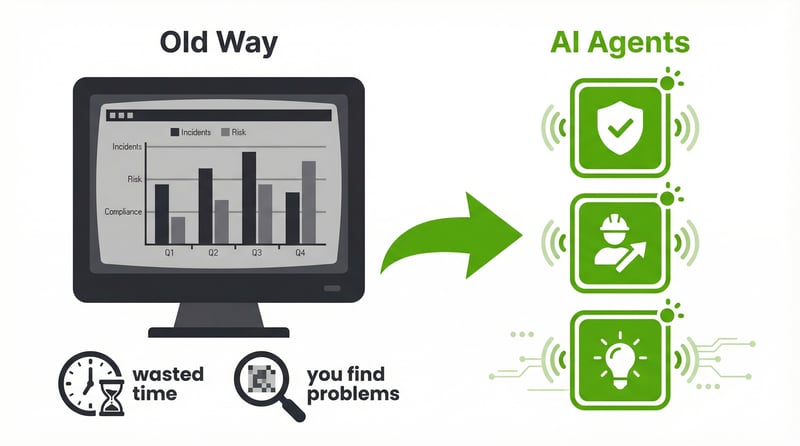
Most contractors think AI in safety software means chatbots that give generic safety tips. They are wrong.
AI-powered EHS software uses your actual company data to do the work that used to require a full-time safety admin. Not generic advice. Your data, your workers, your sites. Here is what that looks like in practice:
- Automated compliance monitoring. AI checks daily whether every required form was submitted across every site. It flags what is missing before you have to ask.
- Predictive certification tracking. Instead of waiting for an expiry alert, AI analyses your workforce data and tells you "12 workers need fall protection recertification before your next project starts in June. Here is the cost to train them."
- Instant safety analytics. Ask "What is our TRIR this quarter?" and get an answer calculated from your actual man-hours and incident records. In seconds. Not after your admin spends three hours with a calculator.
- Risk-based site scoring. AI ranks every active site by risk based on open corrective actions, expired certifications, inspection rates, and incident history. You know which sites need a visit before problems become incidents.
- Automated reporting. Monthly compliance reports, client safety reports, and GC documentation packages generated in minutes from your existing data. No manual assembly.
Safety Evolution's SE-AI platform is one example of this approach in practice. Three AI agents (Compliance Monitor, Workforce and Training Manager, and Safety Intelligence) query your actual safety data and replace 20+ hours per week of administration work. Every answer comes with source citations you can click to verify. If there is no data, the agent says so instead of guessing.
What If Your Safety Data Could Answer Questions on Its Own?
Ask about compliance gaps, training expiries, or audit readiness and get answers from your actual records. Not a chatbot. Not a dashboard you have to dig through.
Be the First to Try It →
What If Your Safety Data Could Answer Questions on Its Own?
Ask about compliance gaps, training expiries, or audit readiness and get answers from your actual records. Not a chatbot. Not a dashboard you have to dig through.
Be the First to Try It →
What Should You Look for When Choosing Safety Management Software?
The market is crowded. VelocityEHS, Cority, Intelex, SafetyCulture, SiteDocs, EHS Insight, and dozens of others all claim to be the best. Here is how to cut through the noise:
1. Mobile-First Design
Your crews are not sitting at desks. If the software does not work smoothly on a phone in the field, with gloves on, in direct sunlight, it will not get used. Test the mobile experience before you commit.
2. Ease of Setup and Use
Enterprise EHS platforms (VelocityEHS, Cority, Intelex) are powerful but designed for companies with 500+ employees and a dedicated EHS department to configure them. If you are a 30-person contractor, you need software you can set up in days, not months. Your site supervisors should be able to use it with minimal training.
3. Certification and Training Tracking
This is the feature that saves the most time for contractors. Make sure it handles automated expiry alerts, bulk certification uploads, GC package generation, and training gap analysis. If you are still assembling cert packages by hand, you are spending 3 to 4 hours on something that should take 1 minute.
4. AI-Powered Intelligence (Not Just Dashboards)
Dashboards show you charts and wait for you to find the problem. AI-powered EHS software tells you what needs attention and why. "Site 12's FLHA submission rate dropped 40% this week. Here are the 3 crews that have not submitted." That is the difference between a reporting tool and an intelligence tool.
When evaluating AI features, ask: Does the AI query our actual data, or does it just provide generic responses? Does it cite its sources? Can it calculate our safety metrics on demand?
5. Integration with Your Existing Systems
Your EHS software should connect to the tools you already use. In construction, that often means Procore, CMiC, or similar project management platforms. For compliance networks, look for ISNetworld and Avetta integration. For HR, ADP or similar payroll systems. The fewer systems your admin has to manually sync, the fewer errors you will have.
6. Regulatory Compliance Support
The software should understand the regulatory landscape you operate in. In the US, that means OSHA standards (29 CFR 1926 for construction), OSHA 300 Log requirements, and incident reporting thresholds. In Canada, it means provincial OHS legislation, COR/SECOR program requirements, WCB reporting obligations, and CSA standards.
Regulatory Note: US vs. Canada
United States: OSHA is the primary federal safety regulator. Standards are consistent nationwide under 29 CFR 1926 (construction) and 29 CFR 1910 (general industry). Penalties are set federally.
Canada: Safety regulation is provincial. Alberta OHS, WorkSafeBC, Ontario MOL, and other provincial bodies each set their own requirements. Penalties, reporting thresholds, and certification programs (like COR) vary by province. Your EHS software needs to handle the province where you operate, not just "Canadian compliance" as a generic checkbox.
7. Scalability and Pricing
Per-user pricing sounds reasonable until you scale to 100+ workers and the monthly bill climbs fast. For a growing contractor, the math needs to work. Some platforms offer flat-rate pricing that scales better for growing companies. SE-AI, for example, uses a per-agent model regardless of how many workers you have. join the SE-AI early access list.
EHS Software vs. Safety Management Software: Is There a Difference?
You will see both terms used interchangeably in search results and vendor marketing. Here is the honest breakdown:
- EHS software is the broader category. It covers environmental compliance (waste management, emissions tracking, environmental permits) alongside health and safety.
- Safety management software typically focuses specifically on occupational health and safety: incidents, inspections, training, compliance.
- For most contractors: you need the safety management features. Environmental modules matter if you deal with hazardous materials, emissions, or environmental permits, which is common in oil and gas and manufacturing.
If you search for "safety management software" and "EHS software," you will often find the same vendors showing up. The distinction matters more for enterprise buyers choosing between a standalone safety module and a full EHS suite. For contractors with 10 to 200 employees, the practical features overlap almost completely.
How Much Does EHS Software Cost?
Pricing varies widely depending on the vendor, your company size, and what features you need. Here are the typical ranges for 2026:
| Category |
Pricing Model |
Best For |
| Basic form and inspection tools |
Per-user monthly subscription |
Small teams needing digital forms only |
| Mid-range EHS platforms |
Per-user monthly, tiered by features |
Contractors needing forms, compliance tracking, and training management |
| Enterprise EHS suites |
Custom annual contracts |
Large organisations with 500+ employees and dedicated EHS teams |
| AI-powered platforms |
Flat-rate or per-agent models |
Contractors who want AI that does the admin work, not just stores the data |
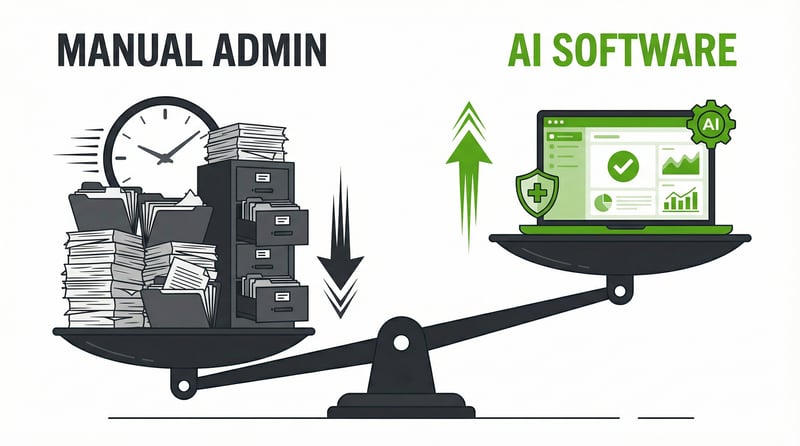
The real cost comparison is not software vs. software. It is software vs. the manual labour it replaces. A safety admin spending 15 to 20 hours per week on compliance checks, cert tracking, and report building represents a significant labour cost. If EHS software (or an AI agent) handles that work at a fraction of the cost, the ROI case builds itself.
For a deeper dive on building the business case, read our guide on how to determine the ROI from safety management software.
How to Implement EHS Software Without Disrupting Your Operation
Here is where most contractors stall. They buy the software and then it sits unused because nobody had a plan to roll it out. Here is the approach that works for contractors with active sites and crews that do not have time for a three-month implementation:
Week 1: Start With One Form
Do not try to digitise everything at once. Pick your highest-volume form, usually the daily FLHA, and move that digital first. Get your crews used to submitting from their phones. Once the FLHA is running smoothly, add inspections, then incident reporting.
Week 2 to 3: Load Your Workforce Data
Upload your worker profiles and certifications. This is the step where you will discover how many expired certs you have been sitting on. (It is usually more than you expect.) Set up automatic expiry alerts immediately.
Week 4: Turn On Compliance Monitoring
Configure which forms are required daily, weekly, or monthly by site. Let the system start flagging gaps. This is the moment where EHS software starts paying for itself, because you will see compliance issues you did not know existed.
Month 2 and Beyond: Add Intelligence
Once your data is flowing, turn on analytics and AI features. This is when you go from "we have digital forms" to "we have a safety intelligence system." Your TRIR calculates automatically. Your sites get risk scores. Your monthly reports generate themselves.
Common Mistakes When Choosing EHS Software
After working with hundreds of contractors who have adopted safety software, here are the patterns we see go wrong:
- Buying for features you will never use. Enterprise platforms have hundreds of modules. If you are a 40-person electrical contractor, you do not need environmental permit tracking or process safety management. Buy what matches your operation today, with room to grow.
- Ignoring the mobile experience. Test the mobile app in the field before you buy. If a site supervisor cannot complete an FLHA in under 3 minutes on their phone, adoption will fail.
- Underestimating the data migration. Moving from paper to digital means someone has to enter your existing worker certifications, training records, and corrective actions. Budget the time for this upfront. Start with the data that matters most: active certs, open corrective actions, and incident investigation records.
- Choosing based on the demo instead of the daily workflow. Demos always look great. Ask to use the product for a week with your actual crew. That is where the truth comes out.
- Not connecting it to your existing systems. If your EHS software does not talk to your project management platform, your HR system, or your compliance networks (ISNetworld, Avetta), you are creating another data silo instead of eliminating one.
The Future of EHS Software: Where Is It Heading?
The EHS software category is evolving fast. Here is what to expect in 2026 and beyond:
- AI agents replace admin tasks entirely. Not dashboards that wait for you to look at them. AI agents that check compliance daily, flag issues proactively, and generate reports automatically. This shift is already happening with platforms like SE-AI.
- Predictive safety analytics. Instead of reacting to incidents, AI models will identify leading indicator patterns (declining inspection rates + increasing near misses + expired certs) and flag sites before incidents occur.
- Connected compliance ecosystems. EHS software will integrate directly with ISNetworld, Avetta, Procore, and HR platforms to create a seamless hire-to-site-ready pipeline. One data entry, everywhere it needs to go.
- Voice-enabled field reporting. Hands-free incident reporting and hazard identification from the field, critical for workers in environments where pulling out a phone is impractical.
The contractors who adopt these capabilities now, while the market is still catching up, will have a significant competitive advantage in bids, compliance audits, and client relationships.
What If You Could Just Ask?
"Which workers have expired fall protection?" "Are we audit-ready for Site 7?" Get answers from your own safety data in seconds, not hours.
Be the First to Try It →
What If You Could Just Ask?
"Which workers have expired fall protection?" "Are we audit-ready for Site 7?" Get answers from your own safety data in seconds, not hours.
Be the First to Try It →
Frequently Asked Questions
What is EHS software used for?
EHS software centralises your safety operations: incident reporting, compliance tracking, worker certification management, safety inspections, hazard assessments, and analytics. It replaces paper forms, spreadsheets, and manual tracking with a digital system accessible from any device. For contractors, the primary benefits are automated compliance monitoring, certification expiry alerts, and instant safety metrics like TRIR.
How much does EHS software cost for a small contractor?
Basic form and inspection tools start at $5 to $19 per user per month. Mid-range platforms with compliance and training features run $15 to $30 per user per month. AI-powered platforms like SE-AI offer flat-rate pricing regardless of user count, which scales better for growing companies. The total cost depends on your team size, which features you need, and the base platform subscription. Contact vendors for current pricing.
What is the difference between EHS software and safety management software?
EHS software covers environment, health, and safety, including environmental compliance modules. Safety management software focuses specifically on occupational health and safety. For most contractors, the practical features overlap almost entirely. The distinction matters more for enterprise buyers evaluating standalone safety modules versus full EHS suites.
Can EHS software help with OSHA compliance and COR audits?
Yes. EHS software tracks required documentation, maintains audit-ready records, and automates compliance gap detection. In the US, it helps maintain OSHA 300 Logs and meet incident reporting deadlines. In Canada, it supports COR audit preparation by organising the safety management system documentation that auditors review. AI-powered platforms can even generate compliance reports automatically.
How does AI improve EHS software?
AI transforms EHS software from a data storage tool into an active safety assistant. Instead of showing you dashboards and waiting for you to find problems, AI agents check compliance daily, calculate safety metrics instantly, flag certification expiries proactively, rank sites by risk, and generate reports automatically. AI queries your actual company data with source citations, so every answer is verifiable.
Get Weekly Safety Insights
Regulation updates, toolbox talk ideas, and compliance tips. One email per week.